16
1002595 ISSUE 5 M172 VARIHEAT
VARIHEAT AA SYSTEM OWNER INSTALLATION MANUAL
Press e le side of
e colon to change e
hour setting.
Press e right side of
e colon to change e
minute setting.
This screen can also be accessed from e first Home screen if e User Security
settings are set to allow access.
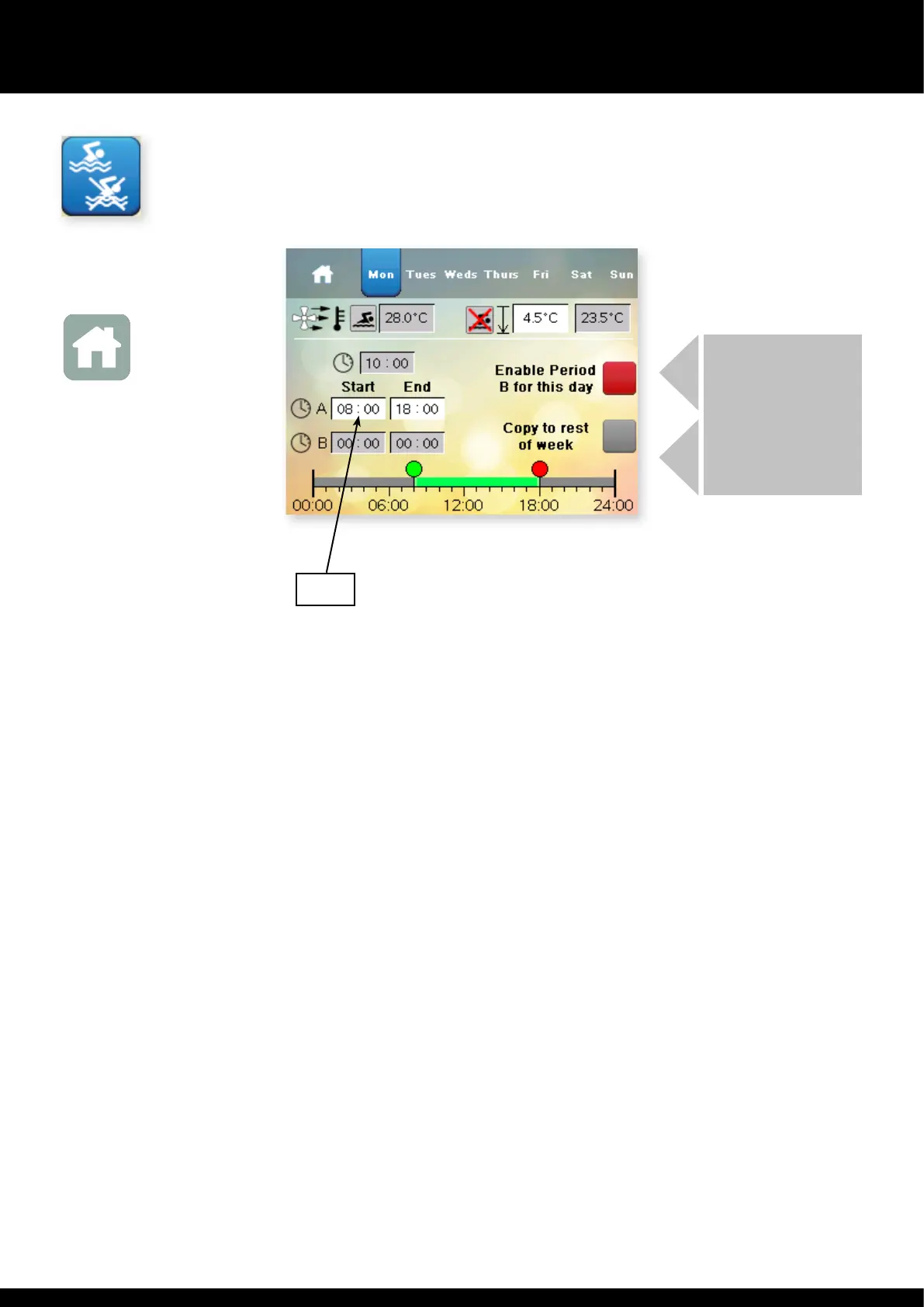
When one of e time settings is touched, e keypad appears to allow e
parameter to be changed. Any time wi a white background can be changed.
There are two periods per day, A and B. Days can be set individually, or copied
to e whole week. If A and B periods overlap, priority is given e Occupied
period. If one Occupied period is required, period B can be disabled.
AA+LPHW models only:
The current Occupied air temperature and e Unoccupied air temperature
settings are shown. The Unoccupied setting is set as e difference between
e two, which can be changed. In e example above, e Occupied air
temperature setting is 28.0°C and e Unoccupied air temperature setting is
4.5°C below at, 23.5°C. The minimum night set back temperature controlled
by e Variheat is 22°C. This means at e greatest difference allowed is 6°C.
Press e Home button to return to e User Settings screen.
TIME CLOCK
Press is button on e Settings menu.
Home icon
Return to
Home screen
If a second occupied period is
required enable is button.
Times in e second period
can be entered in B.
The times for e rest of
e week can be copied by
pressing is button.
08:00


 To Next Page