22
1002595 ISSUE 5 M172 VARIHEAT
VARIHEAT AA SYSTEM OWNER INSTALLATION MANUAL
DATA MONITORING
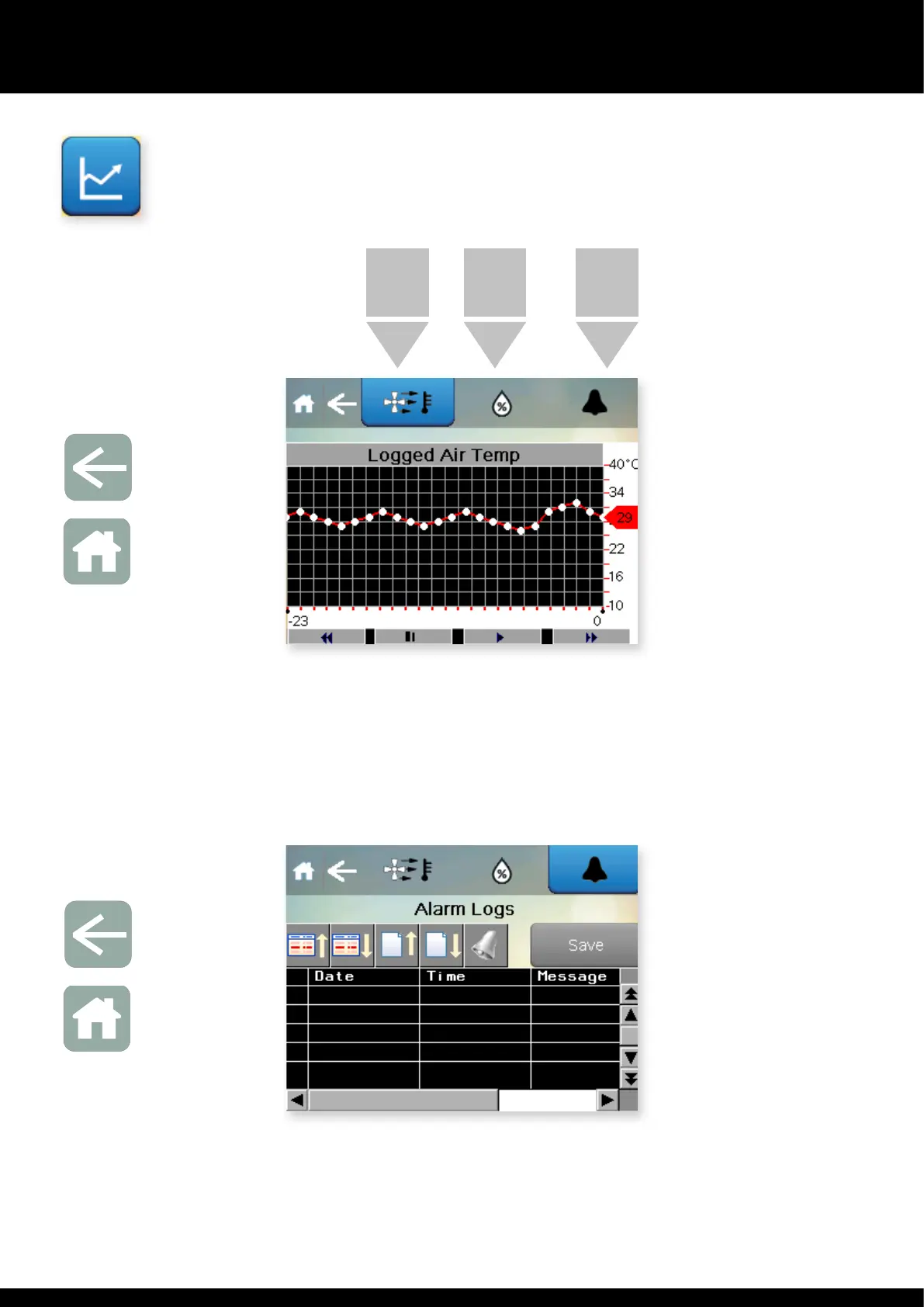
Press is button on e Settings menu.
AIR TEMP
LOG
Arrow icon
Return to
User Settings
Home icon
Return to
Home screen
Pressing e buttons brings up a graph of e selected parameter. Choose
from Air temperature, Humidity, Water temperature and Alarms. The display is
marked up in hours and shows e past 72 hours of activity.
HUMIDITY
LOG
ALARMS
LOG
Press e Arrow to return to e User Settings screen or press Home to return
to e Home screen.
Arrow icon
Return to
User Settings
Home icon
Return to
Home screen


 To Next Page