25
1002595 ISSUE 5 M172 VARIHEAT
SCREEN SETTINGS
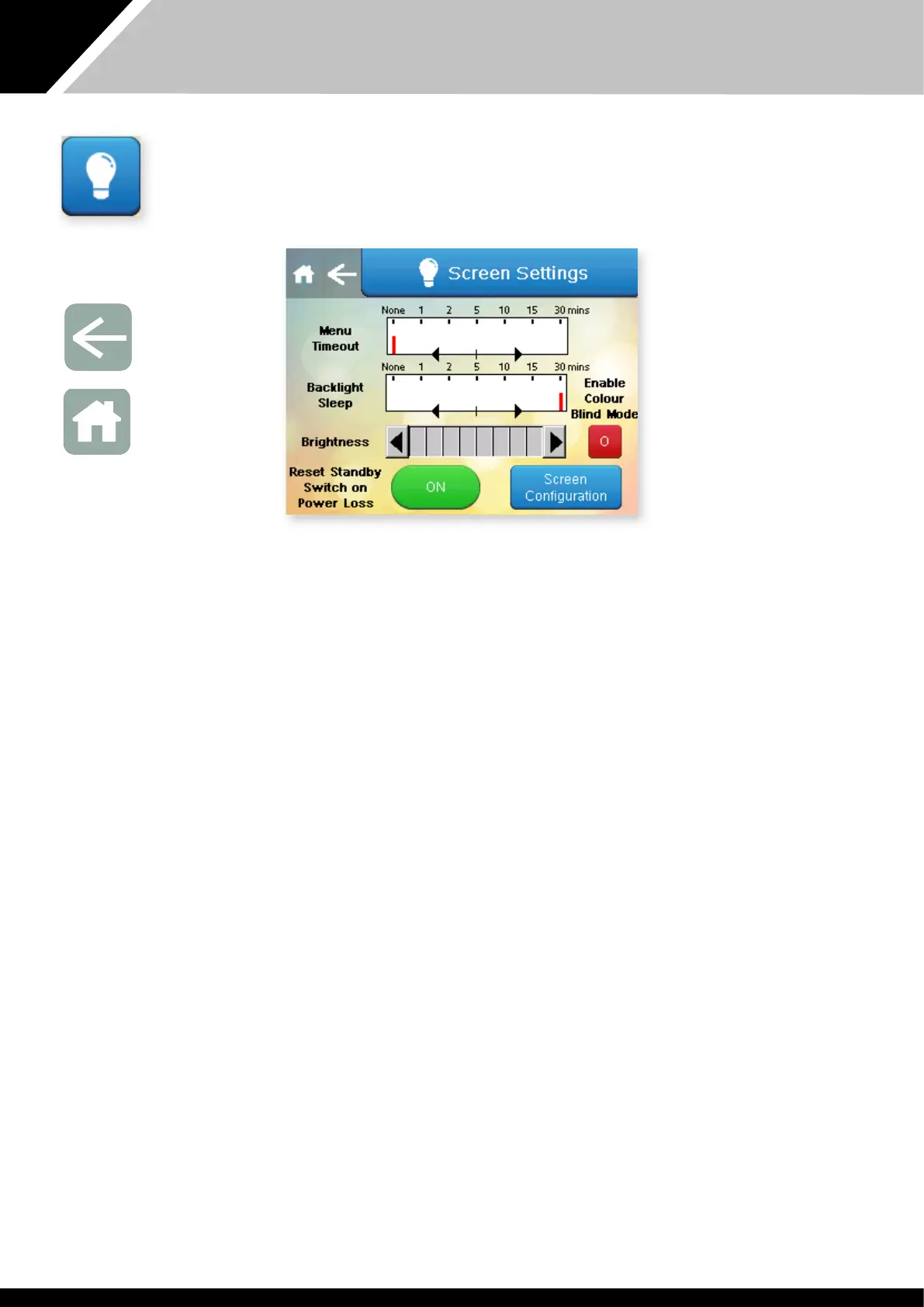
Press is button on e Advanced Settings menu.
The screen settings can be changed here.
Menu Timeout – e leng of time aer which e display to automatically
return to e Home screen aer e last screen press.
Backlight Sleep – e leng of time aer which e display switches off aer
e last screen press. Touching e screen will restore e display.
Brightness – can be increased or decreased.
Colour Blind Mode – can be enabled to improve colour contrast. Press e
Arrow to return to e Advanced Settings screen or if noing else needs to be
changed press Home to return to e Home screen.
The “Reset Standby Switch on Power Loss” button determines what happens
when power is interrupted.
When set to ON e Variheat restarts in Standby mode when power is
reconnected, and does not function until e On/Standby button is pressed.
When set to OFF, e Variheat tries to restart all functions automatically when
power is reconnected. During a unplanned power cut, safety devices may
activate to protect e Variheat system and may require resetting by e user.
Screen Configuration settings button – allows access to advanced screen
configuration settings. The touchscreen can be recalibrated here if it does not
register finger or stylus touches in e correct position. Oer settings should be
le as default unless changes are advised by e Danerm Group.
Arrow icon
Return to
User Settings
Home icon
Return to
Home screen


 To Next Page