23
Technical Support: 01442 230 800 Email: technical@bpt.co.uk
PRE-COMMISSIONING CHECKS
1. Ensure the 230v electrical supply is
isolated i.e the Fused Connection
Unit turned OFF, also ensure the
power supply to the system cannot
be turned back ON accidently.
Now check all connections are
made correctly to all 230v powered
devices.
2. Check that the 18VDC supply is
connected to all relevant devices,
observing correct polarity.
3. Ensure that all dip switches and
jumper links on all devices have
been set as per the installation
drawing including the “Bus / Local”
and “Master / Slave” jumpers on all
receivers where present.
1. Switch ON the 230v electrical supply
at the Fused Connection Unit and
WAIT AT LEAST ONE MINUTE before
moving to the next step.
2. With the system now powered test
with a multimeter to ensure that you
have 18VDC at all points indicated on
the installation drawing.
3. Using your multimeter check across
the B bus at all points for 15V to
22VDC. The B bus is not polarity
conscious.
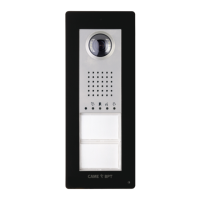
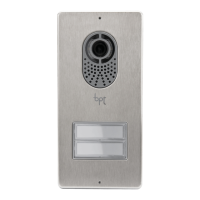
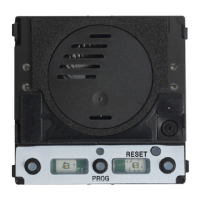
1. To program, press the programming
button(7) on the entry panel for
5 seconds, note that the Orange
programming LED turns on. WAIT 5
seconds before continuing.
2. Ensure that the Red (10) and Blue
(9) LED’s are ashing on the entry
panel, if not press the programming
button(7) for 5 more seconds.
3. Press and hold the FIRST
PHYSICAL call button on the entry
panel (this is not necessarily your
rst actual call button) until the Blue
LED(9) stops ashing, wait until the
Green LED(3) starts ashing.
4. The entry panel is now
programmed and the Green LED(3)
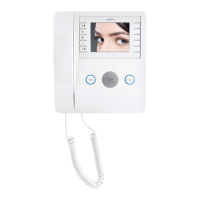
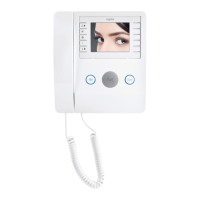
indicates you are now ready to
program the receivers.
IMPORTANT - Carry out the
following checks BEFORE
switching on the 230v AC
electrical supply
ONLY if all the above checks
have been completed and are
correct progress as follows:
Programming systems with only
one entry panel – NOTE! Always
program the entry panel first





 To Next Page