28
Selecting the AF mode
★
The AF mode is the AF operation method. Three AF modes are
provided: ONE SHOT (One-Shot AF), AI FOCUS (AI Focus AF),
and AI SERVO (AI Servo AF).
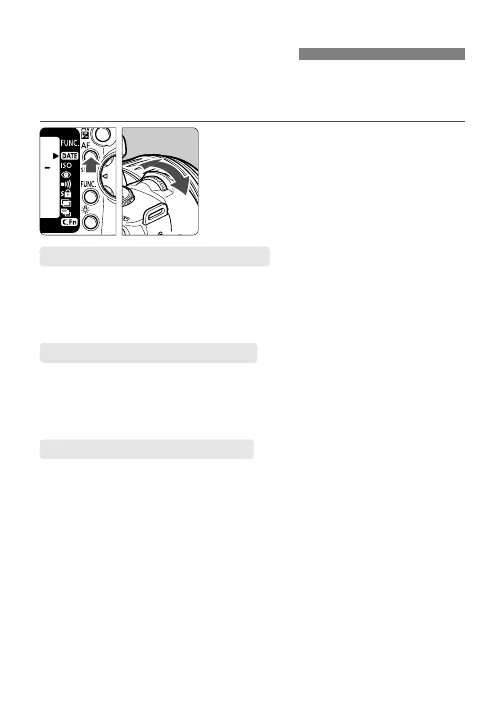
Select the AF mode.
•
Press the <4> button (∫) and
turn the <l> dial.
ONE SHOT (One-Shot AF)
For still subjects. When you press the shutter button halfway, the AF
focuses once.
s When focus is achieved, the AF point achieving focus flashes in red and the
focus confirmation light <n> in the viewfinder lights. The exposure is also set.
AI FOCUS (AI Focus AF)
This mode switches the AF mode automatically to One-Shot AF or AI
Servo AF depending on whether the subject is still or moving.
•
Ideal for moving subjects whose distance from the camera keeps changing.
•
The exposure is set at the moment the picture is taken.
For moving subjects. While you hold down the shutter button, the
camera continues to focus the subject approaching or moving away
from the camera.
•
Ideal for moving subjects whose distance from the camera keeps changing.
•
The exposure is set at the moment the picture is taken.
•
The beeper will not sound when focus is achieved.
AI SERVO (AI Servo AF)











 To Next Page