30
3Selecting the AF point
★
Focus Lock
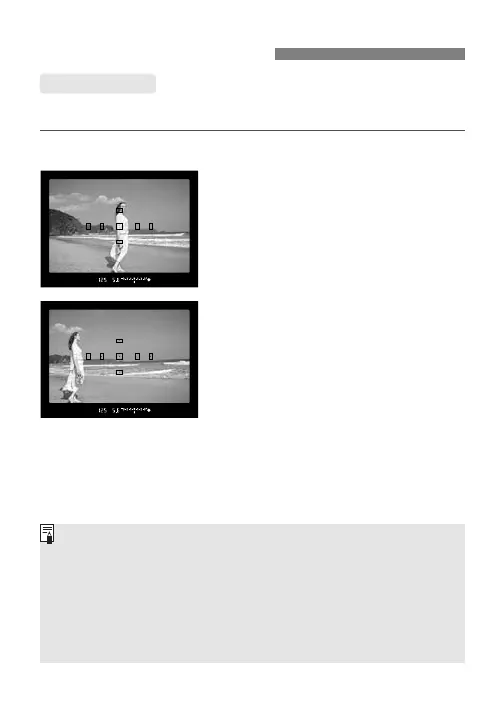
After achieving focus, you can lock the focus on a subject and
recompose the shot. This is called “focus lock.”
1
Select the desired AF point.
2
Focus the subject.
•
Aim the AF point on the subject,
then press the shutter button
halfway.
3
Keep pressing the shutter
button halfway and recompose
the picture as desired.
4
Take the picture.
• If focus has not been achieved, the focus confirmation light <n>
in the viewfinder will blink. In this case, you cannot take a picture
even when you press the shutter button fully. Recompose the shot
and focus again or see “When Autofocus Fails” (p.31).
• If you use an external, EOS-dedicated Speedlite and focus cannot
be achieved with the AF-assist beam, select the center AF point.
• Focus lock also works in the Basic Zone modes (except <P>).
Just start from step
2 above.











 To Next Page