43
D Setting the ISO Film Speed
★
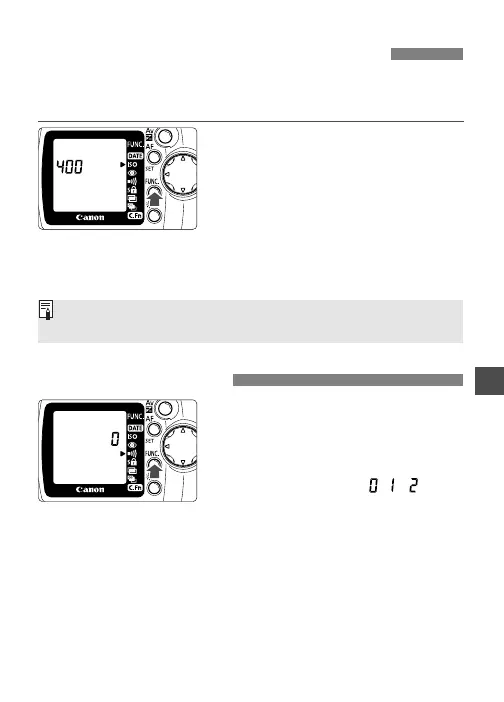
If the film is not DX-coded or if you want to set a different film
speed, load the film in the camera and set the film speed manually
as follows. The settable film speed range is ISO 6 to 6400.
1
Move the <>> arrow to the
<D> icon.
•
Look at the LCD panel and press
the <\> button to move the
arrow. (∫)
s The current film speed is displayed.
2
Set the desired film speed.
•
Turn the <l> dial to set the film
speed.
1
Move the <>> arrow to the
<8> icon.
•
Look at the LCD panel and press
the <\> button. (∫)
0 : Beeper silent.
1 : Beeper sounds when focus is achieved and during self-timer
operation.
2 : Beeper sounds when focus is achieved, during self-timer
operation, and during slow shutter speeds when camera shake
can blur the shot. In this case, use a tripod.
2
Select the setting
“
//
.
”
•
Turn the <l> dial to select the
setting.
The manually-set film speed will be canceled if the film is taken out
and DX-coded film is loaded.
8Beeper Setting











 To Next Page