33
Like the <Y> (Full Auto) mode,
this is a general-purpose mode to
make picture-taking easy. It sets
the shutter speed and aperture
value automatically to suit the
subject’s brightness.
∗ <T> stands for Program.
∗ “AE” stands for auto exposure.
1
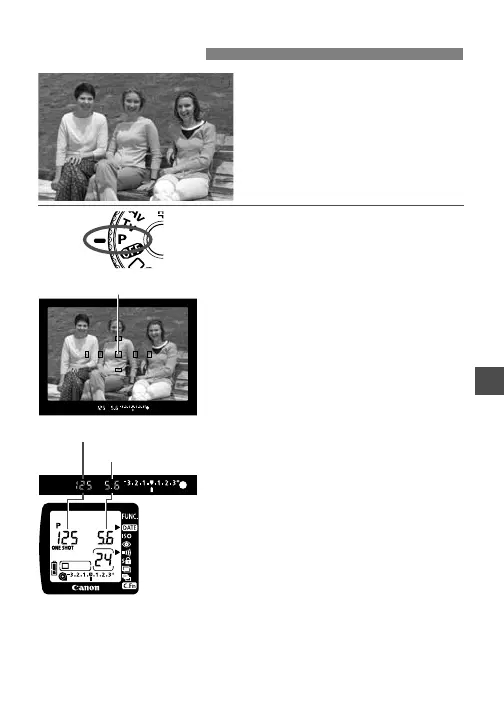
Turn the Mode Dial to <T>.
2
Focus the subject.
•
Move the AF point over the subject
and press the shutter button
halfway.
3
Check the display.
s The shutter speed and aperture
value are set automatically and
displayed in the viewfinder and on
the LCD panel.
•
If the shutter speed and aperture
value do not blink, a correct
exposure will be obtained.
AF point
Aperture value
Shutter speed
T Program AE












 To Next Page