15
Attaching and Detaching the Flash
1
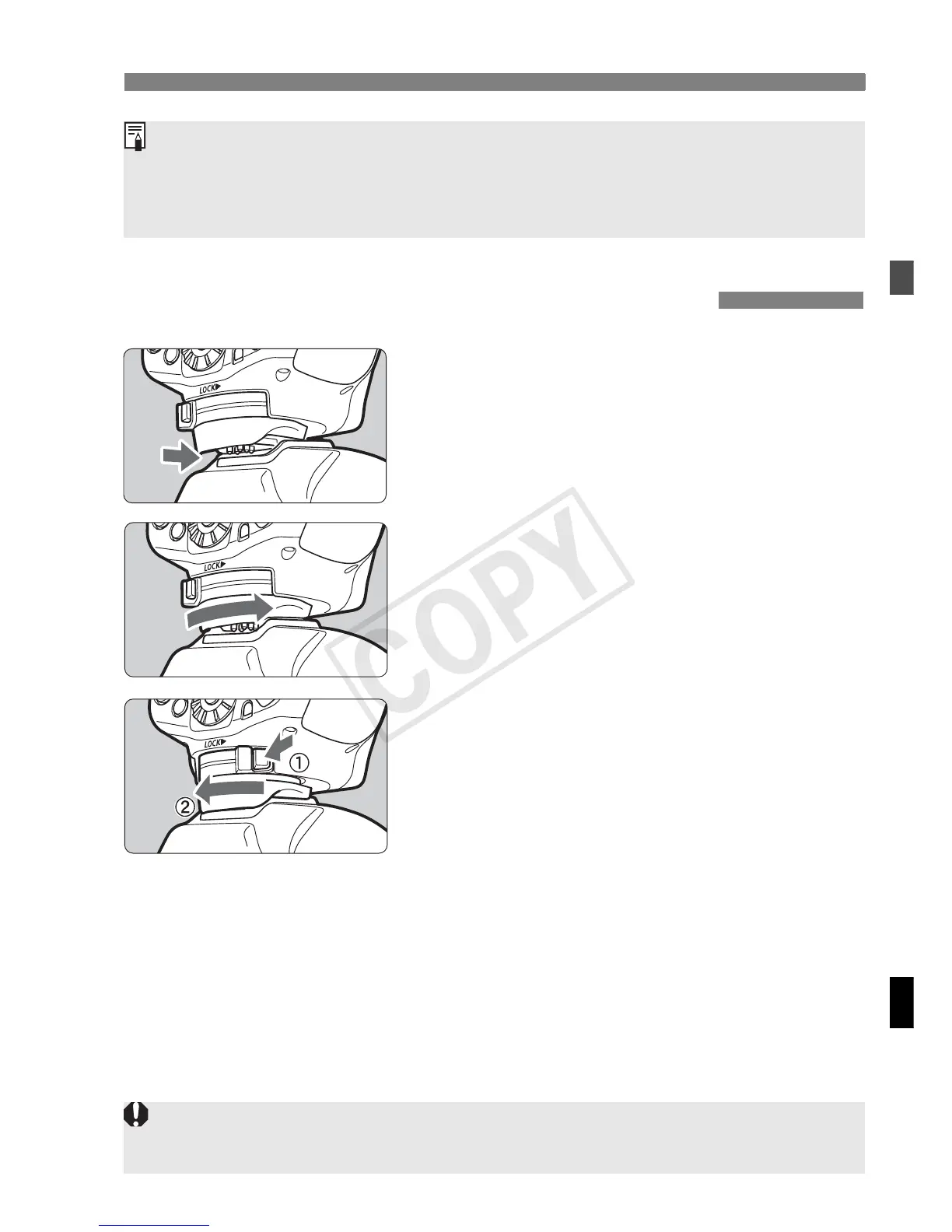
Attach the Speedlite.
Slip the Speedlite’s mounting foot all
the way into the camera’s hot shoe.
2
Secure the Speedlite.
On the mounting foot, slide the lock
lever to the right.
X When the lock lever clicks in place, it
will be locked.
3
Detach the Speedlite.
While pressing the lock-release
button, slide the lock lever to the left
and detach the Speedlite.
Attaching and Detaching the Flash
When <!> is displayed, replace the batteries with new ones.
Use a new set of four batteries of the same brand. When replacing the
batteries, replace all four at one time.
AA/LR6 rechargeable Ni-MH or lithium batteries can also be used.
Before attaching or detaching the Speedlite, be sure to turn off the
Speedlite.














 To Next Page