31
You can set the flash output from 1/128 power to 1/1 full output in 1/3-
stop increments.
Use a hand-held flash meter to determine the required flash output to
obtain a correct flash exposure. Setting the camera’s shooting mode to
<W> or <q> is recommended.
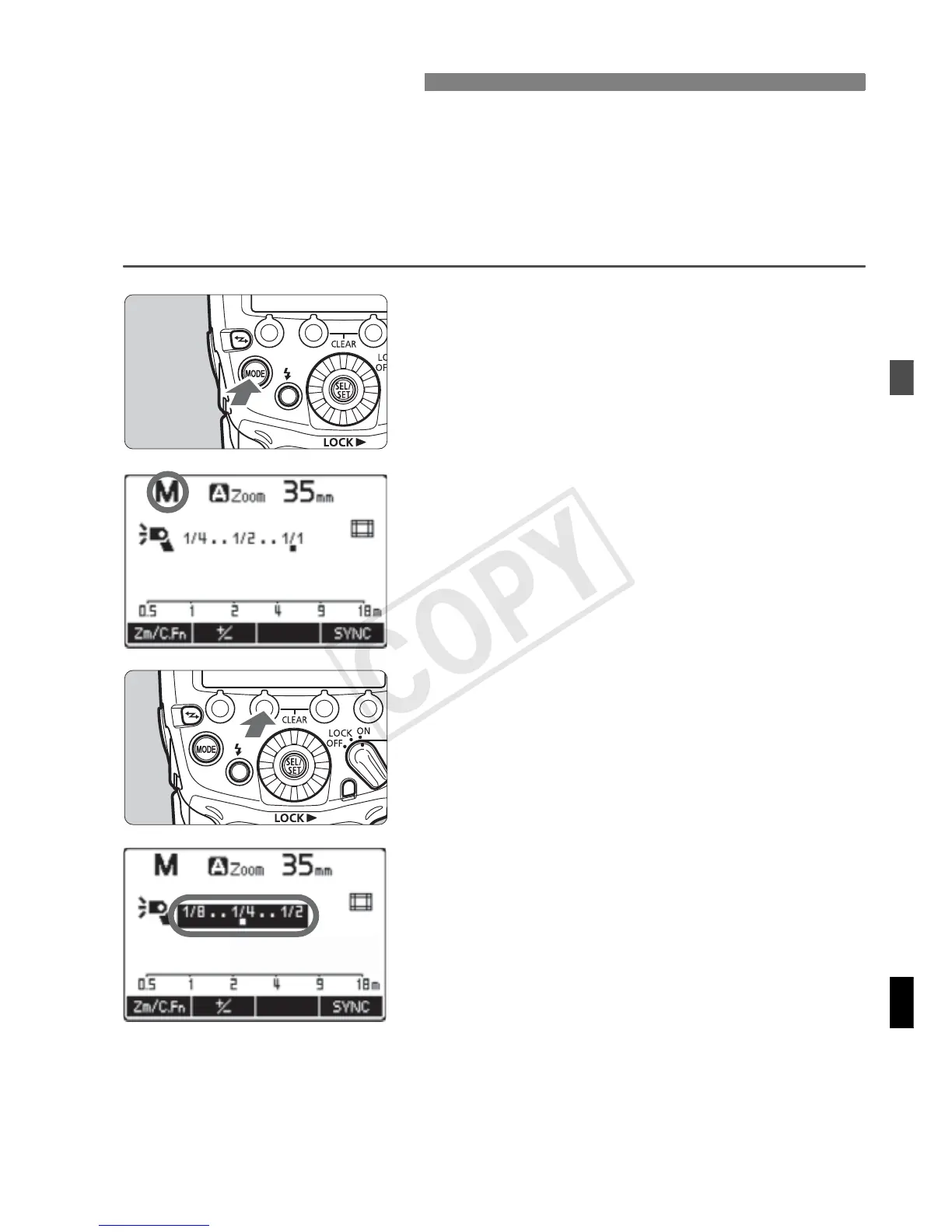
1
Set the flash mode to <q>.
Press the <E> button and set to
<q>.
2
Set the flash output.
Press function button 2 <@>.
X The flash output level is highlighted.
Turn <9> to set the flash output,
and press the <8> button.
When you press the camera’s shutter
button halfway, the indication of
shooting distance and the aperture
setting are displayed.
q: Manual Flash














 To Next Page