25
With high-speed sync, the flash can synchronize with all shutter
speeds. This is convenient when you want to use aperture-priority AE
for fill-flash portraits of a subject.
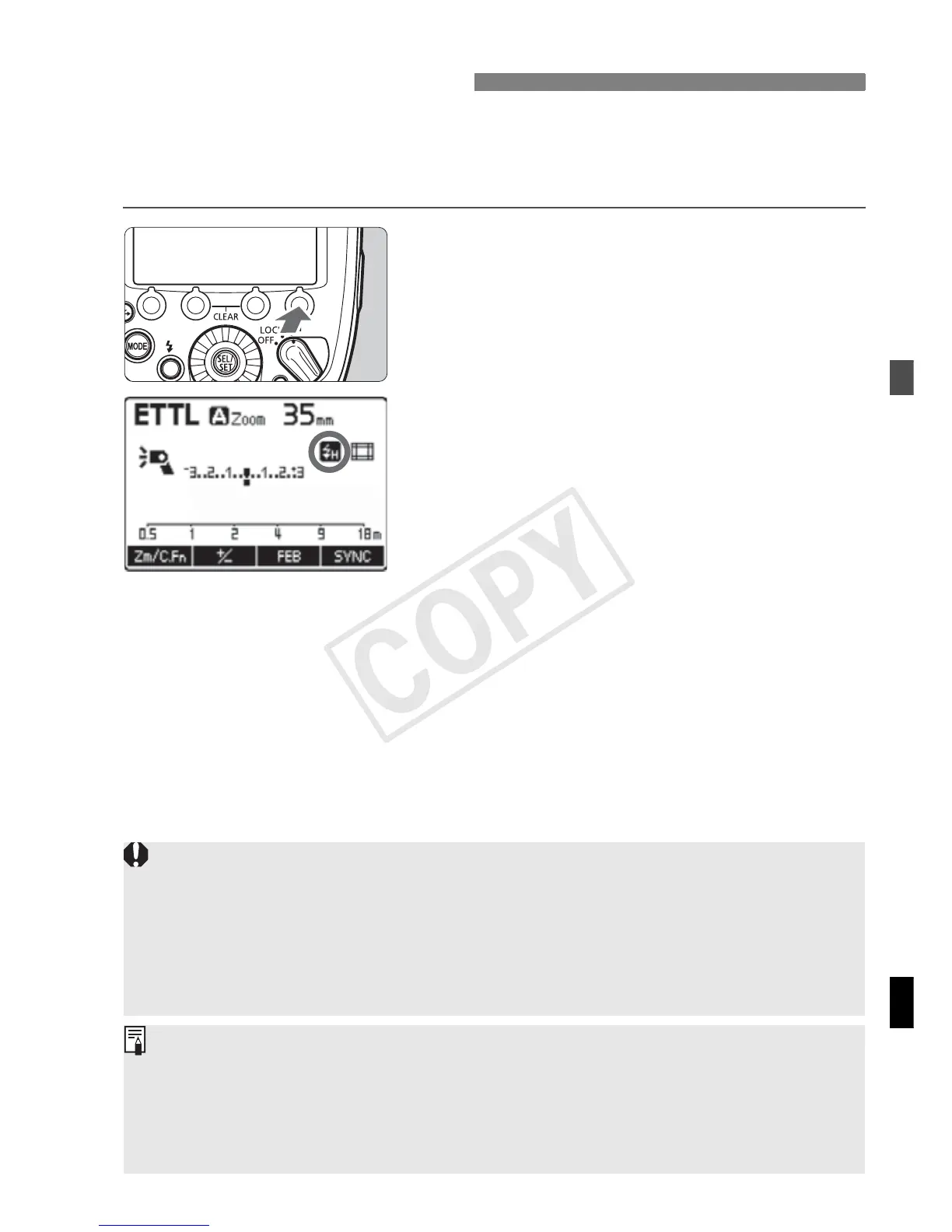
Display <c>.
Press function button 4 <Y> to
display <c>.
Check that <F> is lit in the
viewfinder.
c High-speed Sync
If you set a shutter speed that is equal to or slower than the camera’s
maximum flash sync speed, <F> will not be displayed in the viewfinder.
To r et ur n to n o r ma l fla s h s ho ot in g, p r e ss f un ct io n bu t to n 4 < Y> to
turn off <c>.
High-speed sync is not available during stroboscopic flash.
When using the flash with EOS cameras compatible with E-TTL and
released up to 2011, high-speed sync is not possible with radio
transmission wireless flash shooting (p.51).
With high-speed sync, the faster the shutter speed, the shorter the
effective flash range will be. Check the effective flash range on the LCD
panel.














 To Next Page