23
You can take three shots while automatically changing the flash output.
This is called FEB (Flash Exposure Bracketing). The settable range is
up to ±3 stops in 1/3-stop increments.
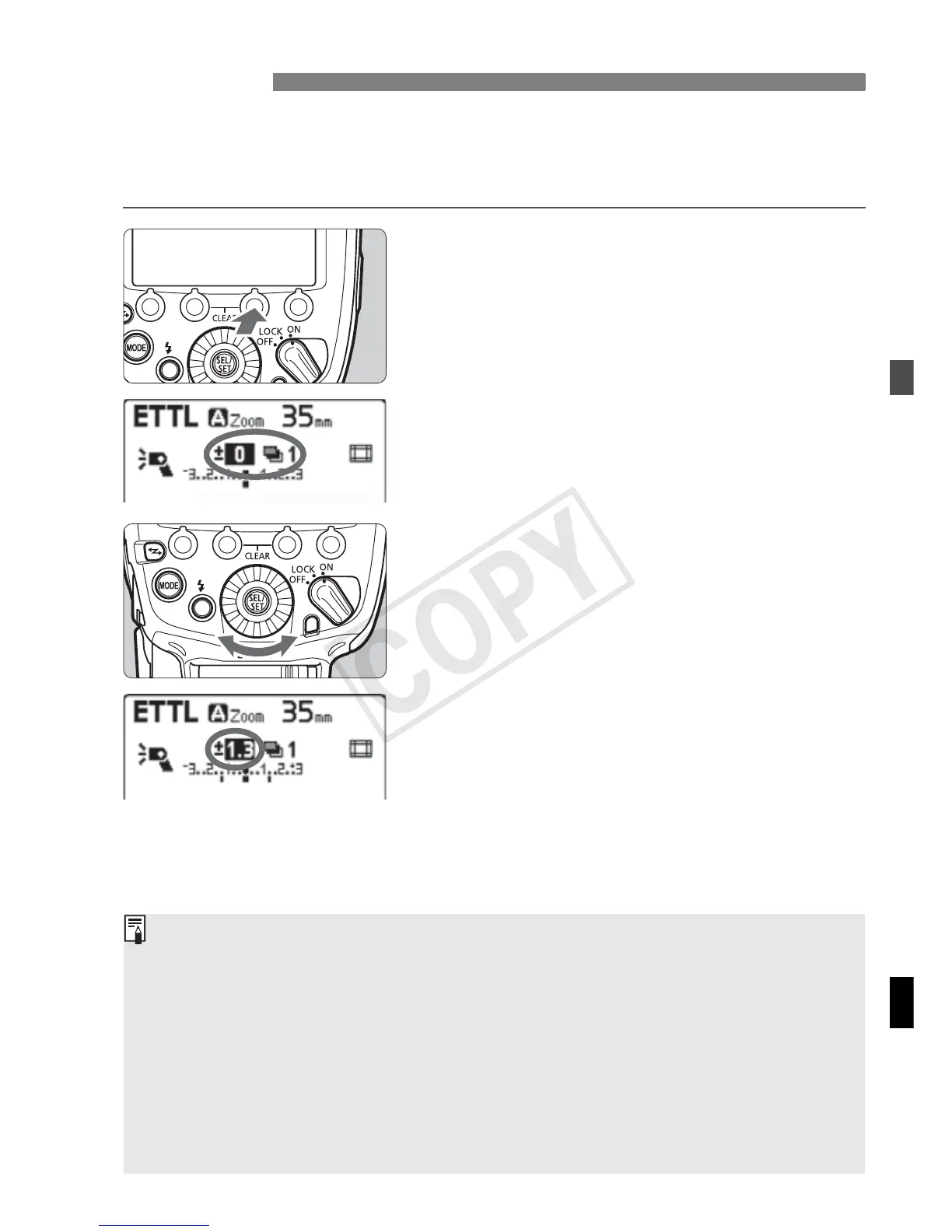
1
Press the <E> button.
Press function button 3 <E>.
X <g> is displayed and the FEB level
display is highlighted.
2
Set the FEB level.
Turn <9> to set the FEB level, and
press <8 >.
X The FEB level is set.
“0.3” indicates 1/3 stops and “0.7”
indicates 2/3 stops.
When used together with flash
exposure compensation, FEB
shooting is performed based on the
flash exposure compensation
amount. When the FEB range
exceeds ±3 stops, the end of the flash
exposure level shows <I> or <J>.
g FEB
After the three shots are taken, FEB is canceled automatically.
Before shooting with FEB, it is recommended to set the camera’s drive
mode to single shooting and check that the flash is recycled.
You can use FEB together with flash exposure compensation or FE lock.
If the camera’s exposure compensation is set to 1/2-stop increments, flash
exposure compensation will be up to ±3 stops in 1/2-stop increments.
You can set FEB to remain enabled after shooting the three shots (C.Fn-
03/p.96).
You can change the FEB shooting sequence (C.Fn-04/p.96).














 To Next Page