78
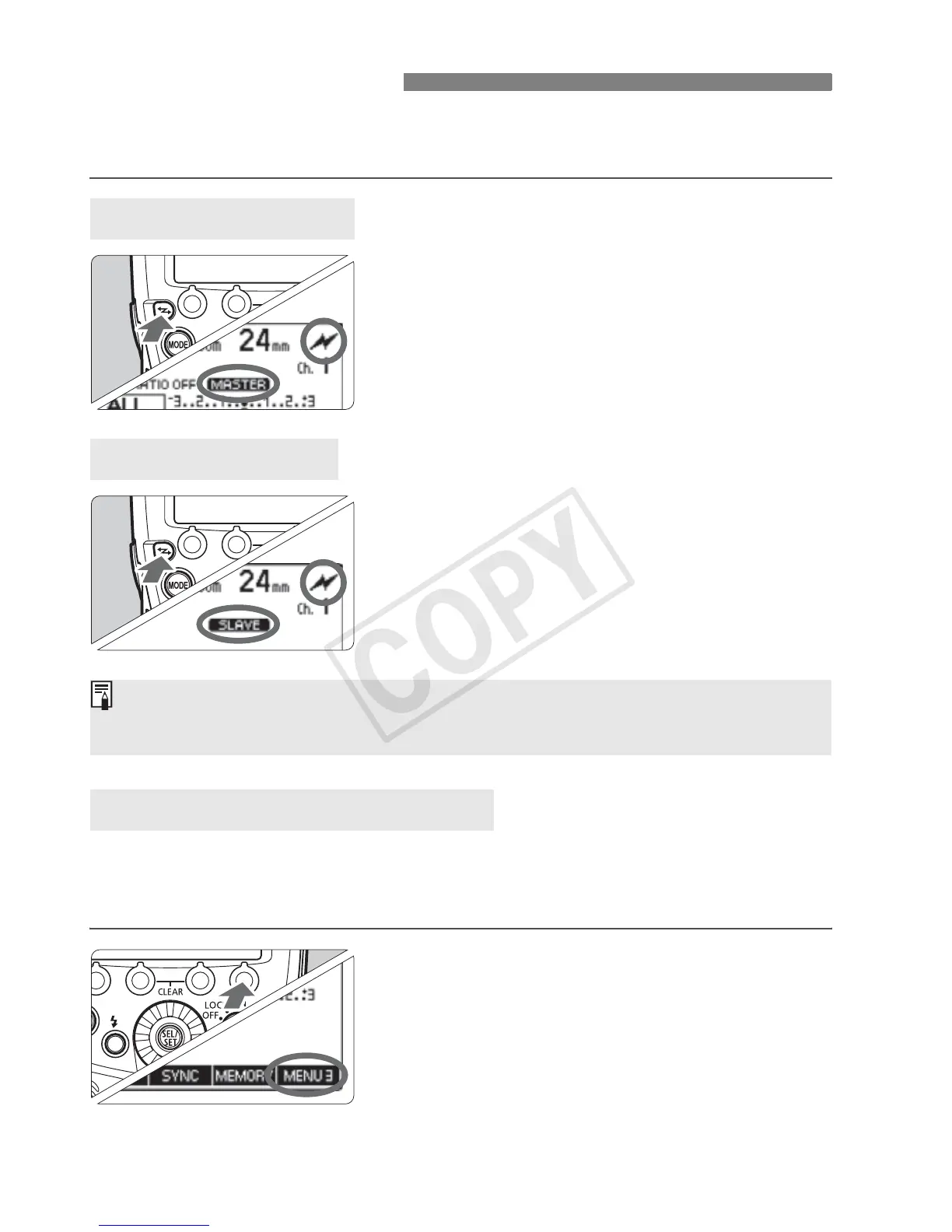
To p e r f orm op t ical t r a n smissi o n wire less shooting, set the master unit
and slave unit with the following procedure.
Display <: > and <M>.
Press the <I> button to display
<:> (optical transmission) and
<
M>.
Display <: > and <x>.
Operate and set the flash you want to
set as the slave unit.
Press the <I> button to display
<:> (optical transmission) and
<
x>.
To av o i d i n terference w i th optic a l transmission wireless systems used
by other photographers, you can change the transmission channel. Set
the same channel for both the master unit and slave unit.
1
Press function button 4.
To s e t t h e m a s t er uni t , p r ess fun c tio n
button 4 to display <O>.
To s e t t h e s l av e u n it, p r e s s f u n c t io n
button 4 to display <N>.
Wireless Settings
Master Unit Setting
Slave Unit Setting
Transmission Channel Setting
To perfo rm nor mal fla s h sho oting, p ress t he <I> button to clear the
wireless (master/slave) settings.














 To Next Page