83
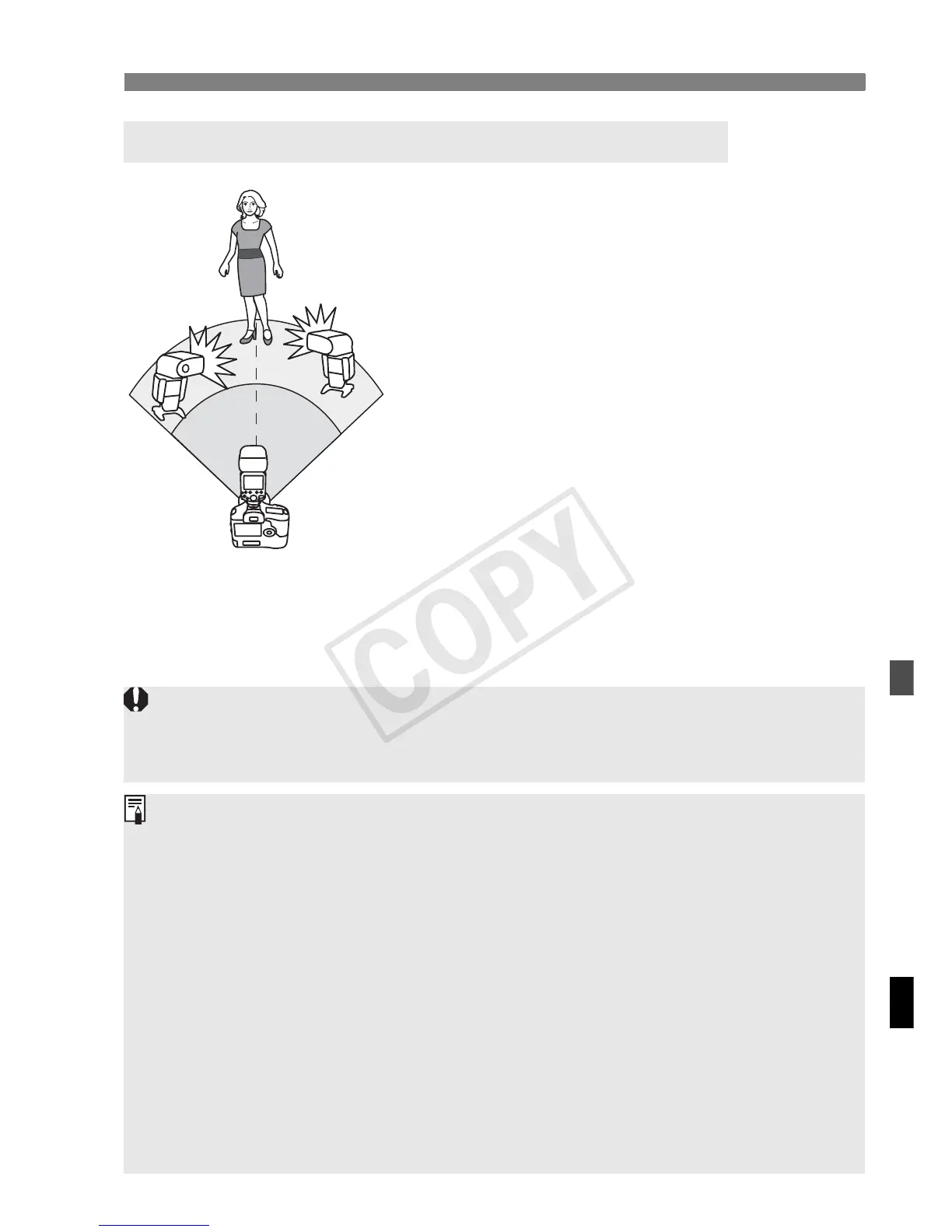
a: Fully Automatic Wireless Flash Shooting
When you need more flash output or you
want to perform lighting more easily, you
can increase the number of slave units
and fire them as a single flash.
To a d d sla v e u n its , u se t h e s am e
procedure as “Autoflash Shooting Using
One Slave Unit”. Any firing group (A/B/C)
can be set.
When the number of slave units is
increased or master flash firing set to
ON, automatic control is performed to
fire all flashes at the same flash output
and ensure that the total flash output
results in the standard exposure.
Autoflash Shooting Using Multiple Slave Units
If there is a fluorescent light or PC monitor near a slave unit, the presence of
the light source may cause the slave unit to malfunction, causing it to fire
inadvertently.
The master/slave flash coverage is set automatically to 24 mm. You can
also set the flash coverage manually.
You can press the depth-of-field preview button on the camera to fire the
modeling flash (p.38).
If the slave unit’s auto power off takes effect, press the master unit’s test
flash button to turn on the slave unit. Note that the test flash cannot be
fired while the camera’s metering timer is operating.
The autoflash system (E-TTL II/E-TTL) depends on the camera used and
is set automatically. Note that <a> is displayed on the LCD panel for
both systems.
You can change the time until the slave unit’s auto power off takes effect
(C.Fn-10/p.98).
You can set it up so that the AF-assistant beam emitter will not blink when
the slave unit recycling is completed (C.Fn-23/p.100).














 To Next Page