First Time Settings
Preparations
27
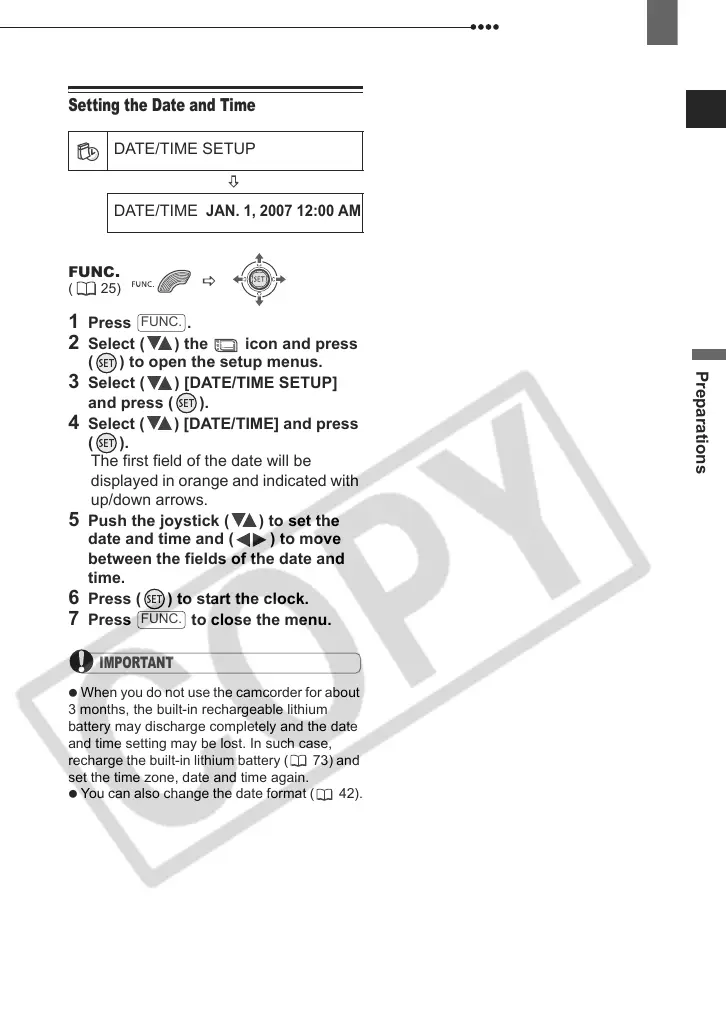
Setting the Date and Time
1 Press .
2 Select ( ) the icon and press
( ) to open the setup menus.
3 Select ( ) [DATE/TIME SETUP]
and press ( ).
4 Select ( ) [DATE/TIME] and press
().
The first field of the date will be
displayed in orange and indicated with
up/down arrows.
5 Push the joystick ( ) to set the
date and time and ( ) to move
between the fields of the date and
time.
6 Press ( ) to start the clock.
7 Press to close the menu.
IMPORTANT
When you do not use the camcorder for about
3 months, the built-in rechargeable lithium
battery may discharge completely and the date
and time setting may be lost. In such case,
recharge the built-in lithium battery ( 73) and
set the time zone, date and time again.
You can also change the date format ( 42).
DATE/TIME SETUP
DATE/TIME
JAN. 1, 2007 12:00 AM
FUNC.
( 25)
FUNC.
FUNC.
D121C_NTSC-E.book Page 27 Thursday, January 11, 2007 2:46 PM



 To Next Page