Managing Photos
Editing Functions
59
Managing Photos
Erasing Photos
You can erase still images recorded on
the disc (DVD-RW only).
IMPORTANT
Be careful when erasing images. Erased
images cannot be recovered.
NOTES
Images on a protected disc cannot be erased.
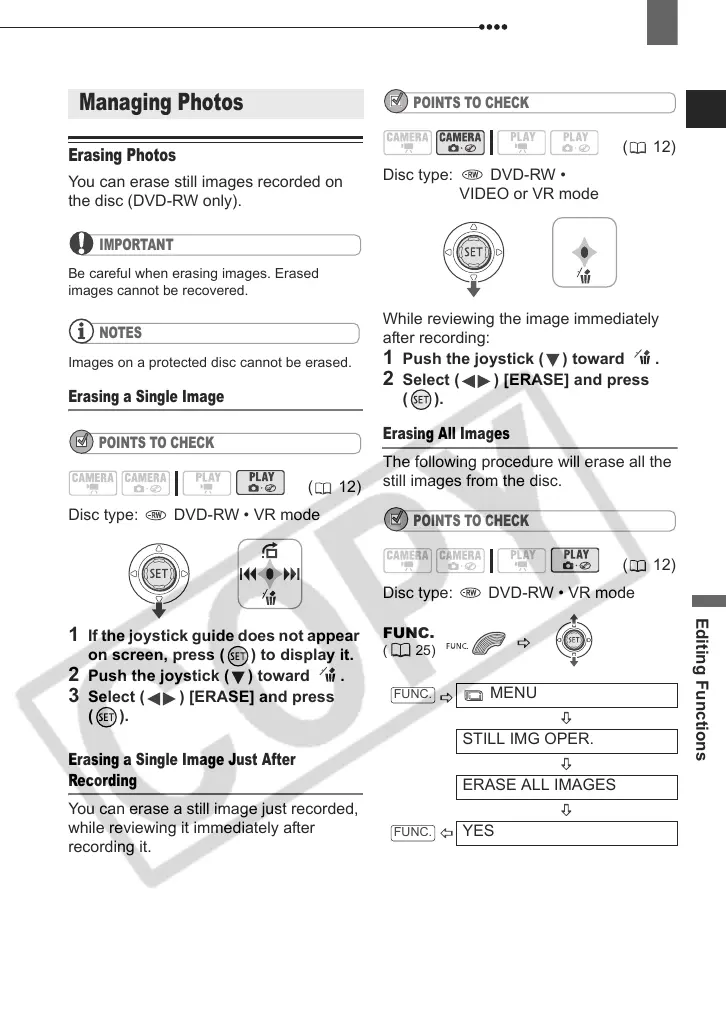
Erasing a Single Image
POINTS TO CHECK
Disc type: DVD-RW • VR mode
1 If the joystick guide does not appear
on screen, press ( ) to display it.
2 Push the joystick ( ) toward .
3 Select ( ) [ERASE] and press
().
Erasing a Single Image Just After
Recording
You can erase a still image just recorded,
while reviewing it immediately after
recording it.
POINTS TO CHECK
Disc type: DVD-RW •
VIDEO or VR mode
While reviewing the image immediately
after recording:
1 Push the joystick ( ) toward .
2 Select ( ) [ERASE] and press
().
Erasing All Images
The following procedure will erase all the
still images from the disc.
POINTS TO CHECK
Disc type: DVD-RW • VR mode
Managing Photos
( 12)
( 12)
( 12)
FUNC.
(25)
MENU
STILL IMG OPER.
ERASE ALL IMAGES
YES
FUNC.
FUNC.
D121C_NTSC-E.book Page 59 Thursday, January 11, 2007 2:46 PM



 To Next Page