Connecting to a TV or VCR
64
External Connections
Connecti ng to a TV or VCR
Connection Diagrams
Connecting to a TV or VCR
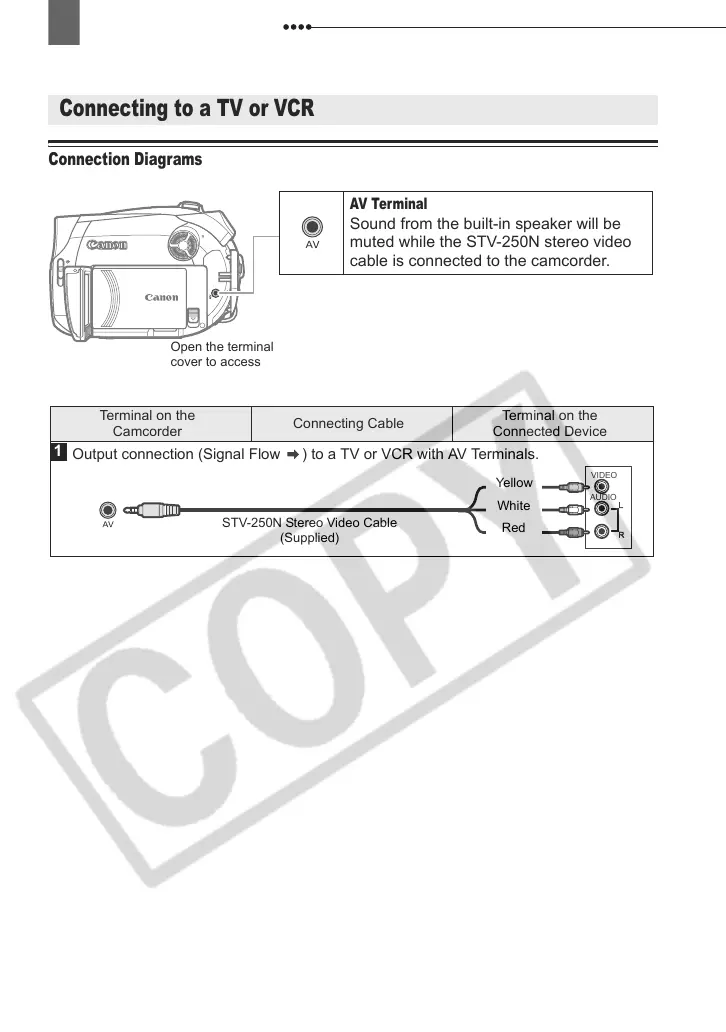
AV Terminal
Sound from the built-in speaker will be
muted while the STV-250N stereo video
cable is connected to the camcorder.
Open the terminal
cover to access
Terminal on the
Camcorder
Connecting Cable
Terminal on the
Connected Device
1
VIDEO
AUDIO
R
L
Output connection (Signal Flow ) to a TV or VCR with AV Terminals.
STV-250N Stereo Video Cable
(Supplied)
Yellow
White
Red
D121C_NTSC-E.book Page 64 Thursday, January 11, 2007 2:46 PM



 To Next Page