Menu Options Lists
Advanced Functions
39
The wind screen cannot be turned off
when the mode switch is set to AUTO.
Some low-frequency sounds will be
suppressed along with the sound of wind.
When recording in surroundings
unaffected by wind or if you want to
record low-frequency sounds, we
recommend setting the wind screen to
[ OFF].
Disc Operations (Photomovie, Finalize, etc.)
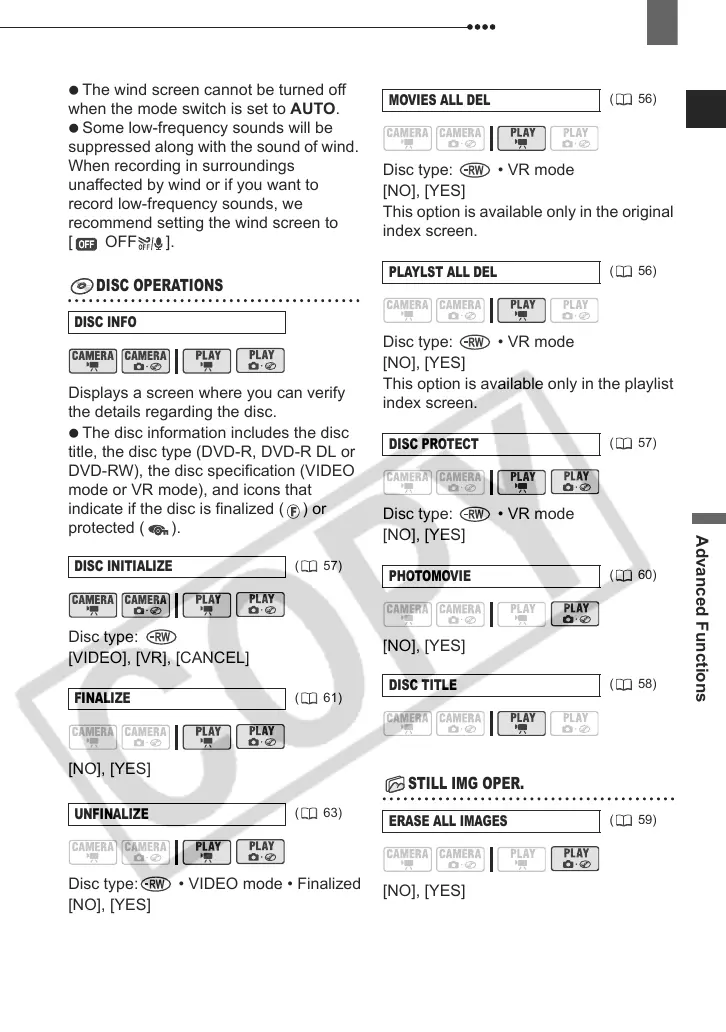
DISC OPERATIONS
Displays a screen where you can verify
the details regarding the disc.
The disc information includes the disc
title, the disc type (DVD-R, DVD-R DL or
DVD-RW), the disc specification (VIDEO
mode or VR mode), and icons that
indicate if the disc is finalized ( ) or
protected ( ).
Disc type:
[VIDEO], [VR], [CANCEL]
[NO], [YES]
Disc type: • VIDEO mode • Finalized
[NO], [YES]
Disc type: • VR mode
[NO], [YES]
This option is available only in the original
index screen.
Disc type: • VR mode
[NO], [YES]
This option is available only in the playlist
index screen.
Disc type: • VR mode
[NO], [YES]
[NO], [YES]
Still Image Operations (Erase all still images)
STILL IMG OPER.
[NO], [YES]
DISC INFO
DISC INITIALIZE
( 57)
FINALIZE
( 61)
UNFINALIZE
( 63)
MOVIES ALL DEL
( 56)
PLAYLST ALL DEL
( 56)
DISC PROTECT
( 57)
PHOTOMOVIE
( 60)
DISC TITLE
( 58)
ERASE ALL IMAGES
( 59)
D121C_NTSC-E.book Page 39 Thursday, January 11, 2007 2:46 PM



 To Next Page