4. Manual Focusing
Use manual focusing when the subject is difficult to focus with the cam-
era’s autofocus system, or when you need to control the focus for alterna-
tive focus effects.
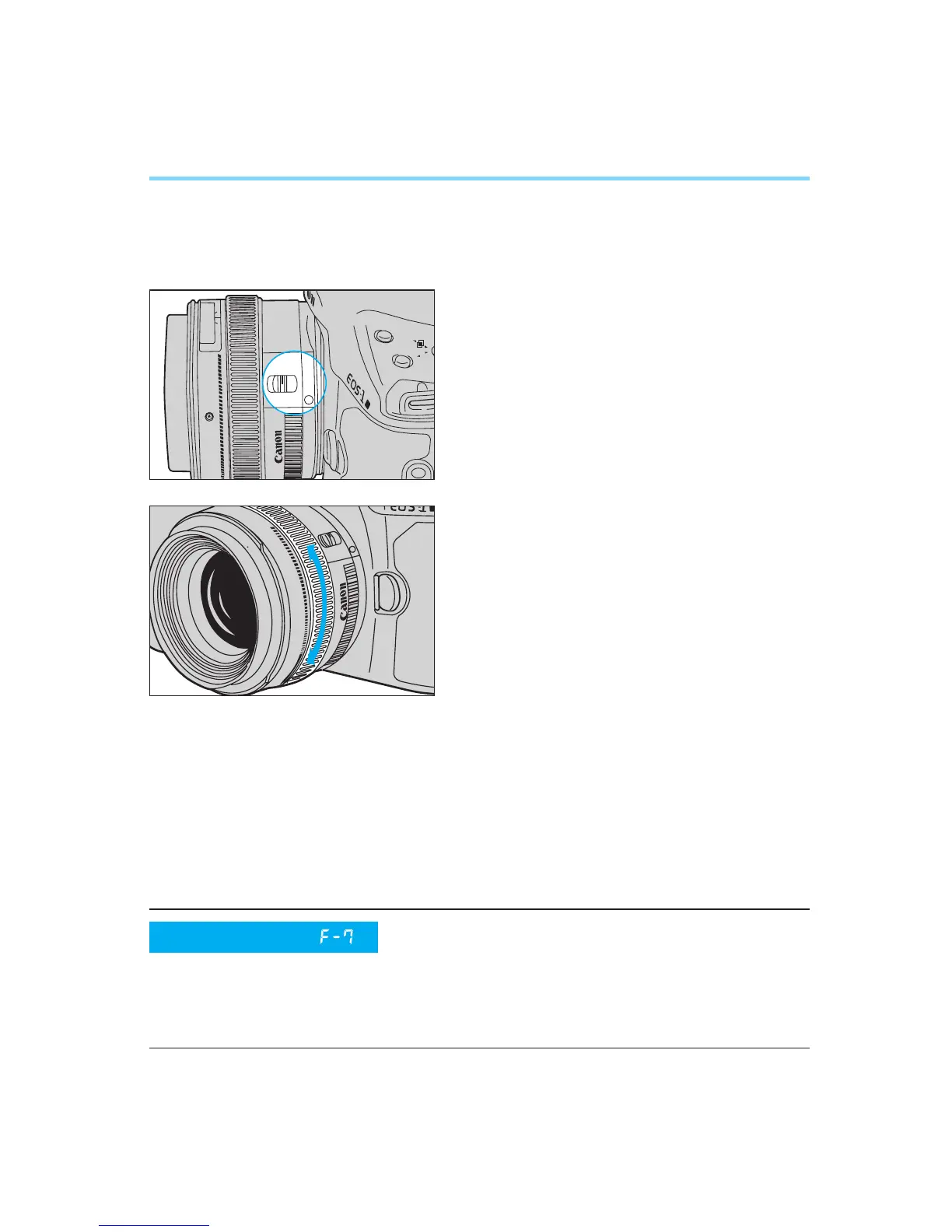
1
Set the lens’ focus mode switch to
“M”.
• The AF mode display is extinguished
in the LCD panel.
2
While pressing the shutter button
halfway and looking through the
viewfinder, turn the lens’ manual
focusing ring until the subject
appears sharp.
• When the focus mode is switched from
“AF” to “M”, the focusing point and in-
focus indicator in the viewfinder light
when the subject is in focus.
● Full-time Manual Focusing with USM (Ultrasonic Motor) Lenses
USM lenses are equipped with a full-time manual focusing function that
lets you immediately manually adjust the focus after autofocusing is com-
pleted to achieve the desired effect. Use this function in One-shot AF
mode.
•This method of focus adjustment cannot be used if your USM lens does not
have a distance scale.
When using a USM lens equipped with an
electronic manual focusing system, setting
this custom function will allow manual focus-
ing only when the lens’ focus mode switch is
set to “M”.
Custom Function
(Refer to pages 86–87)
00. Part.2 RS (E) (P.28~47) 27-01-2003 11:56 Page 36


 To Next Page