75
• Shooting mode ......................................
• AF mode................................................
• Metering mode ......................................
• Film winding mode ................................
• Custom functions................................... Not affected
Single exposure ( )
Evaluative metering
One-shot AF
Program AE (P) mode
9. Resetting the Camera to Its Initial Settings
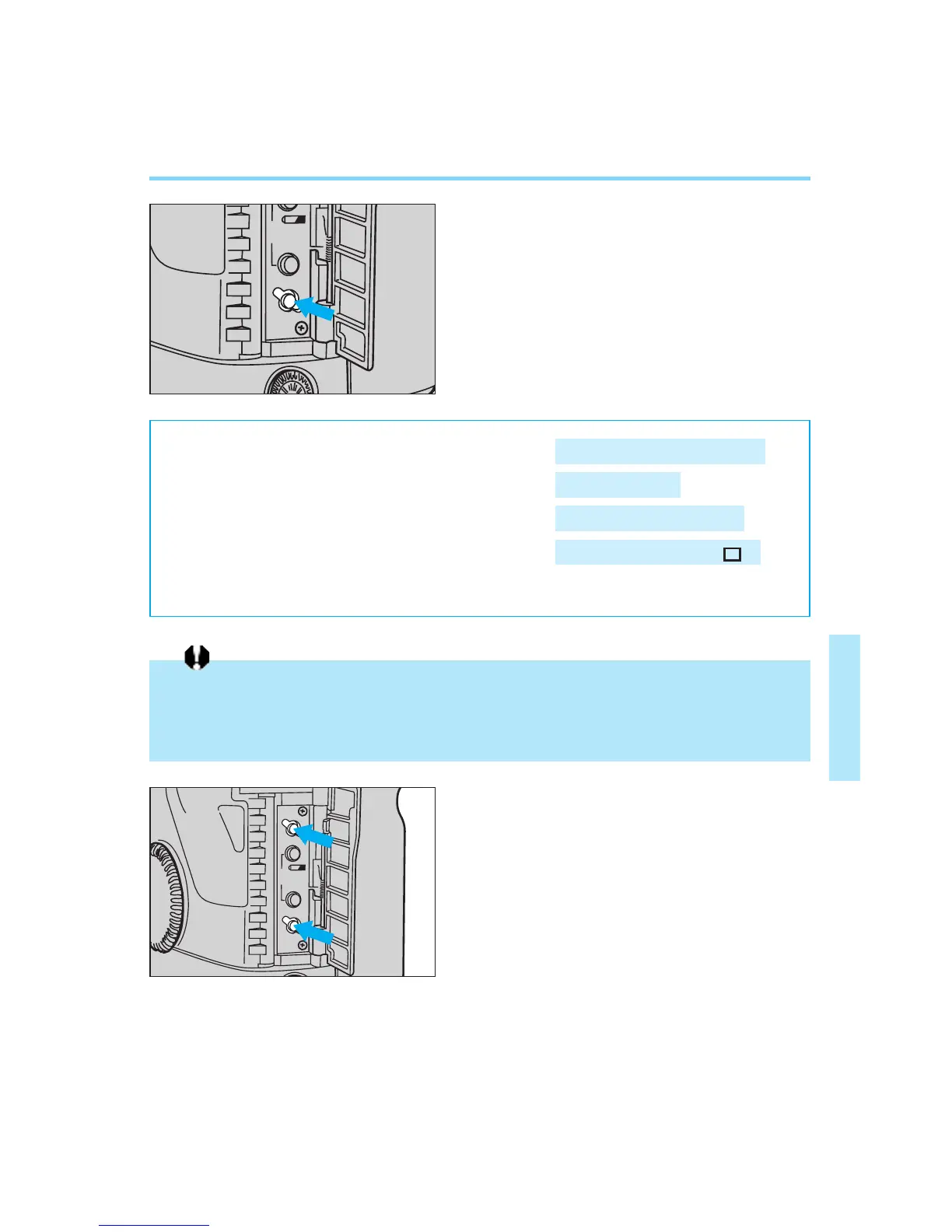
● Resetting All Camera Functions
You can reset all of the camera’s func-
tions (except for the custom functions)
to their default settings by opening the
palm door and pressing the clear but-
ton. After resetting, the camera’s func-
tions are set as shown below:
When custom function F-8 is set for center-weighted average metering instead of evalua-
tive metering, and the metering mode is set to partial metering or spot metering, pressing
the clear button will reset all of the camera functions except for the metering mode, which
remains at the current setting.
● Resetting All Custom Functions
You can reset all of the custom func-
tions to their initial settings by pressing
the custom function button before
pressing the clear button.
1
2
00. Part.4 RS (E) (P.65~75) 27-01-2003 11:59 Page 75


 To Next Page