99
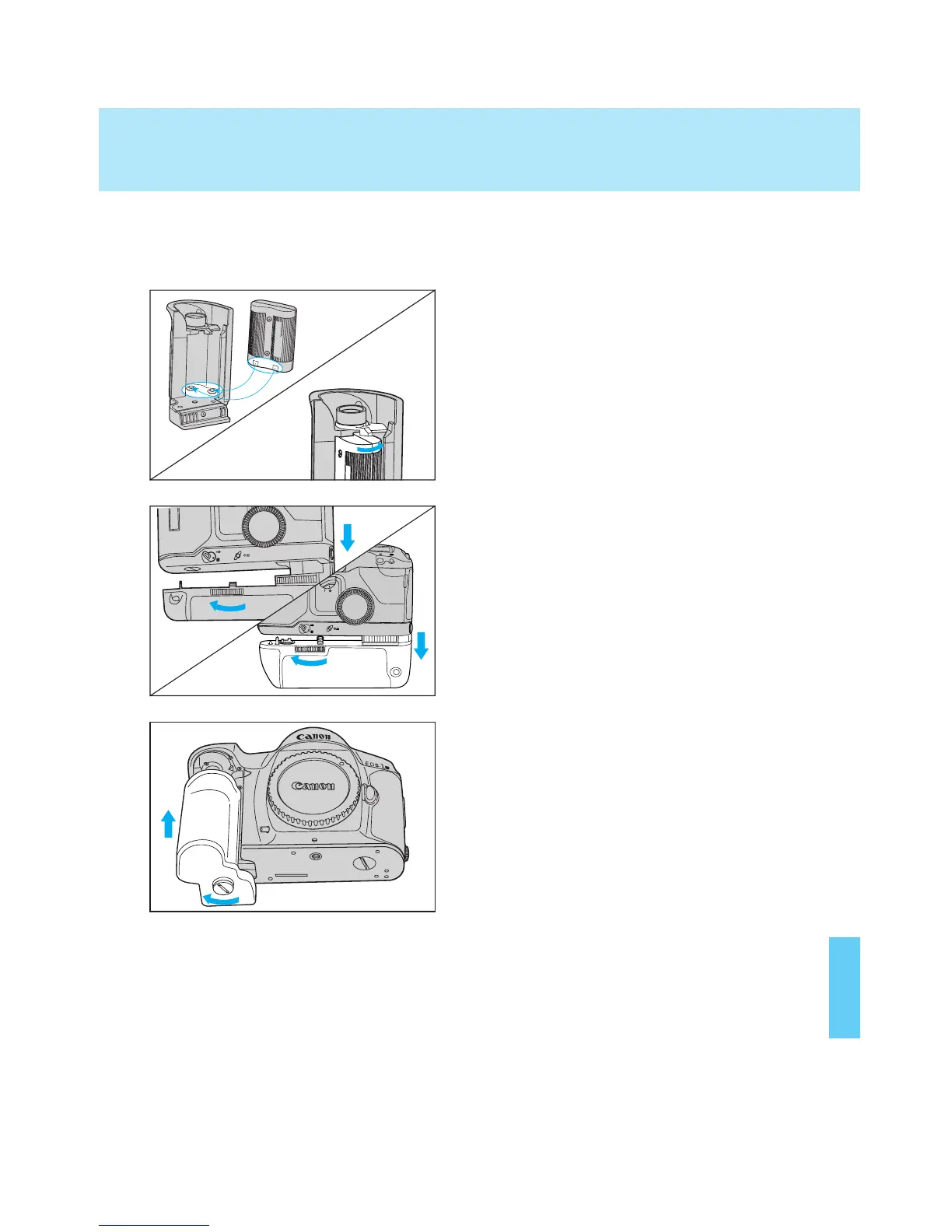
Attaching the Standard Grip
The Battery Pack BP-E1 or Power Drive Booster E1 can be removed and
replaced with the EOS-1 N’s standard grip GR-E1 (optional) using the
procedure below.
1
Load a battery into the standard grip
GR-E1 (see page 14).
2
Turn the Battery Pack BP-E1/Power
Drive Booster E1’s attachment knob
to loosen, then pull the assembly
downward to remove from the cam-
era.
For EOS-1 N HS users, attach the
booster coupler cover (supplied with
the GR-E1) to the camera’s booster
coupler.
3
Attach the standard grip to the cam-
era, and tighten the attachment
screw so that the grip is firmly
attached.
4
Attach the contact protector cover
(supplied with the GR-E1) to the
Battery Pack BP-E1/Power Drive
Booster E1 to protect the electronic
contacts.


 To Next Page