70
4. Using the Self-Timer [ ]
Two built-in self-timer modes let you delay the exposure 10 seconds or 2
seconds from when you press the shutter button. When using the self-
timer, place the camera on a tripod or a steady surface.
1
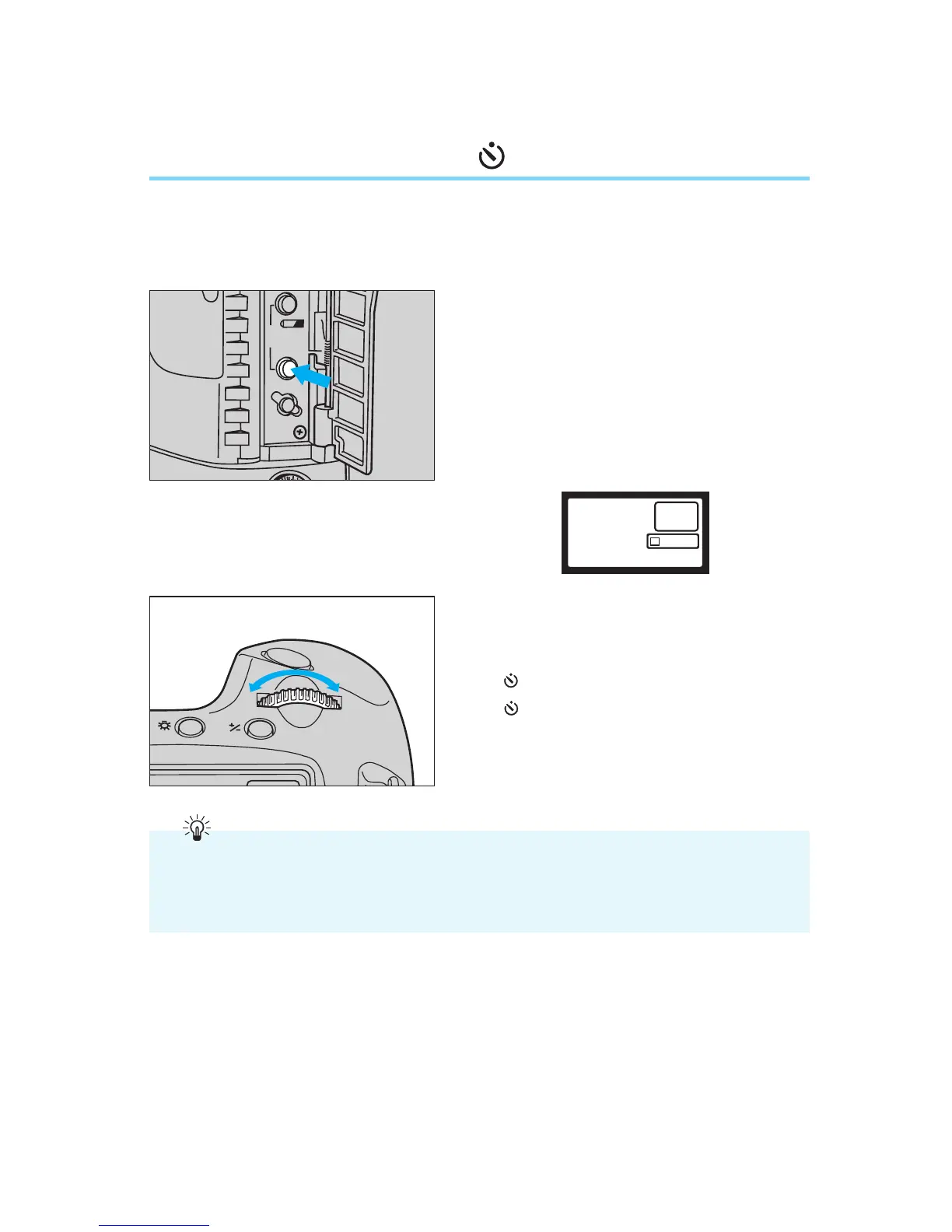
Open the palm door and press the
film winding mode selector.
• The film winding mode indicator
appears in the LCD panel.
• After the button is released, the timer
function keeps the film winding mode
indicator displayed in the LCD panel
for six seconds.
2
Turn the main dial to the left or right
until the desired self-timer mode
appears in the LCD panel.
•: 10-second timer
•: 2-second timer
Use the 10-second self-timer when taking a picture of a group of people or a scene that
you want to be a part of, and use the 2-second self-timer when you want to minimize cam-
era-shake (camera vibration induced when the shutter button is pressed) while taking
close-up pictures or duplicate photos.
00. Part.4 RS (E) (P.65~75) 27-01-2003 11:59 Page 70


 To Next Page