37
5. Selecting the Metering Mode
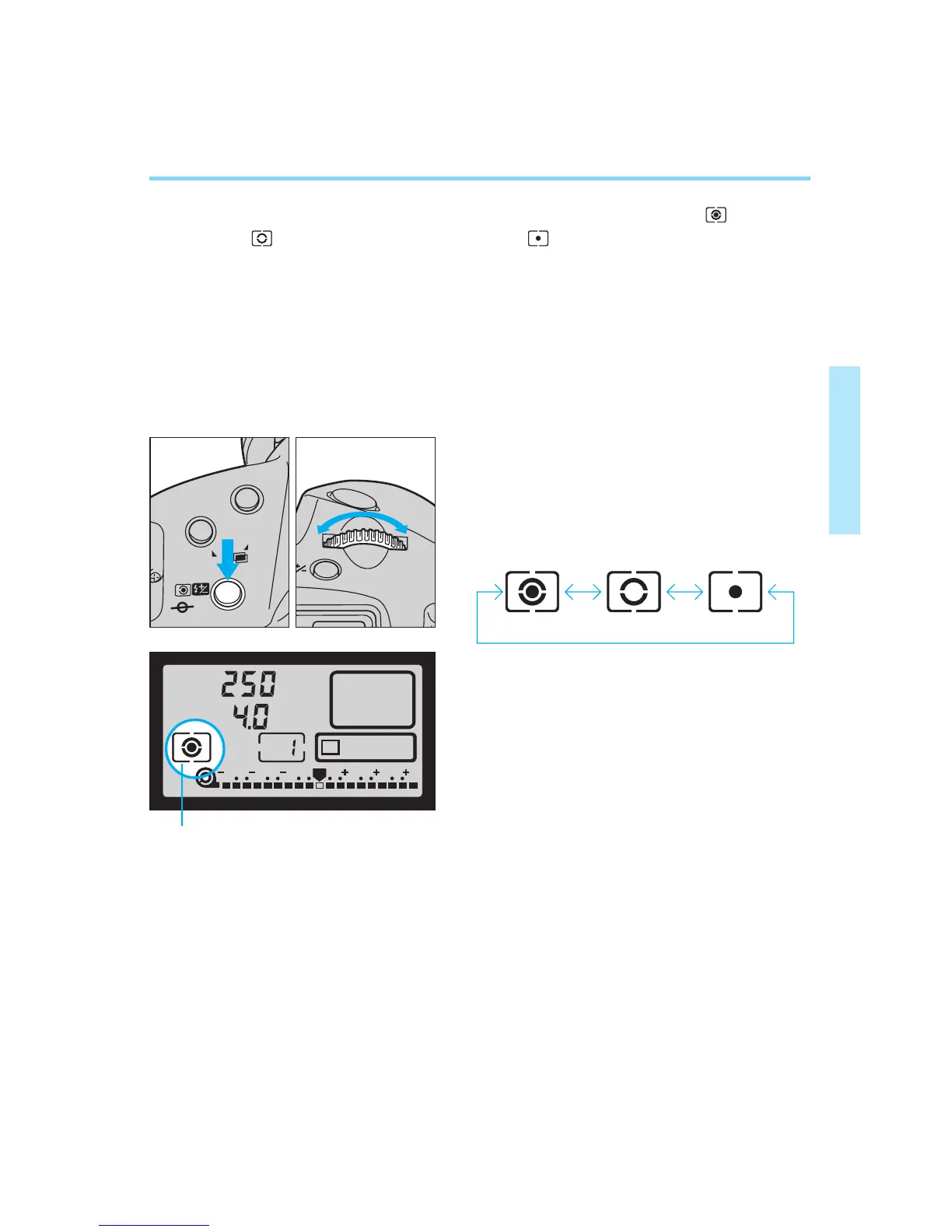
Three metering modes are available: evaluative metering ( ), partial
metering ( ) and fine spot metering ( ). Center-weighted average
metering as well as spot metering linked to the focusing points can also
be set with the corresponding custom function. In all metering modes,
pressing the shutter button halfway activates the built-in metering system
and determines the exposure.
Whether outdoors, indoors, at the sea or in the mountains, there is an infi-
nite number of lighting conditions and subject types. Select the metering
mode best suited for each subject.
AI SERVO
3 2 1 1 2 3
P
0
1
While pressing the metering mode
selector, turn the main dial to the left
or right until the desired metering
mode indicator appears in the LCD
panel.
Metering mode indicator
2
Release the metering mode selec-
tor.
• The metering mode changes in the
cyclical sequence shown above.
00. Part.2 RS (E) (P.28~47) 27-01-2003 11:56 Page 37


 To Next Page