46
Auto Exposure Bracketing [AEB]
1
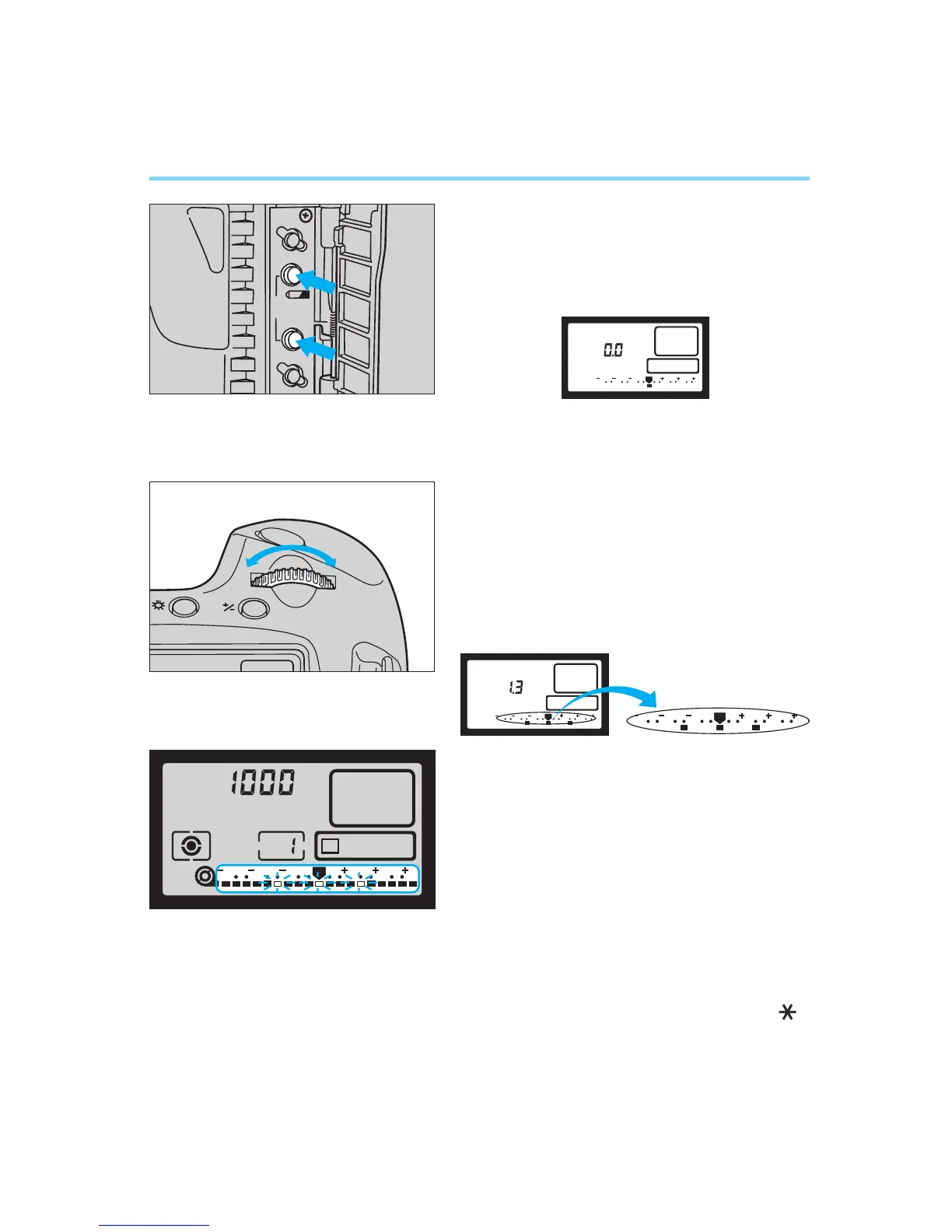
Open the palm door and simultane-
ously press the battery check button
and film winding mode selector.
• AEB appears in the LCD panel.
• The display remains for six seconds
after you release the buttons.
2
Turn the main dial to set the desired
bracketing amount.
• The set bracketing amount is shown in
the LCD panel as both a graphic level
display and a numerical value. The
diagram shows the case when setting
a bracketing amount of ±1-1/3 stops.
3
When you press the shutter halfway
and then remove your finger, the
bracketing amount is displayed by
the viewfinder’s exposure level indi-
cator.
4
Take pictures according to the cur-
rent film winding mode.
• The compensated exposure value for
each shot is displayed in the LCD
panel as the three frames are
exposed, and the AEB indicator ( )
blinks continuously until all three expo-
sures are completed.
AEB
3 2 1 1 2 3
0
AEB
3 2 1 1 2 3
0


 To Next Page