83
Setting and Resetting Custom Functions
5
Press the shutter button halfway to
complete the setting and restore the
LCD panel to the original display.
●
Resetting a Custom Function
1
To reset a custom function to the
standard setting, select the custom
function and then press the custom
function button to change the num-
ber in the LCD panel to “0”.
3 2 1 1 2 3
0
3 2 1 1 2 3
0
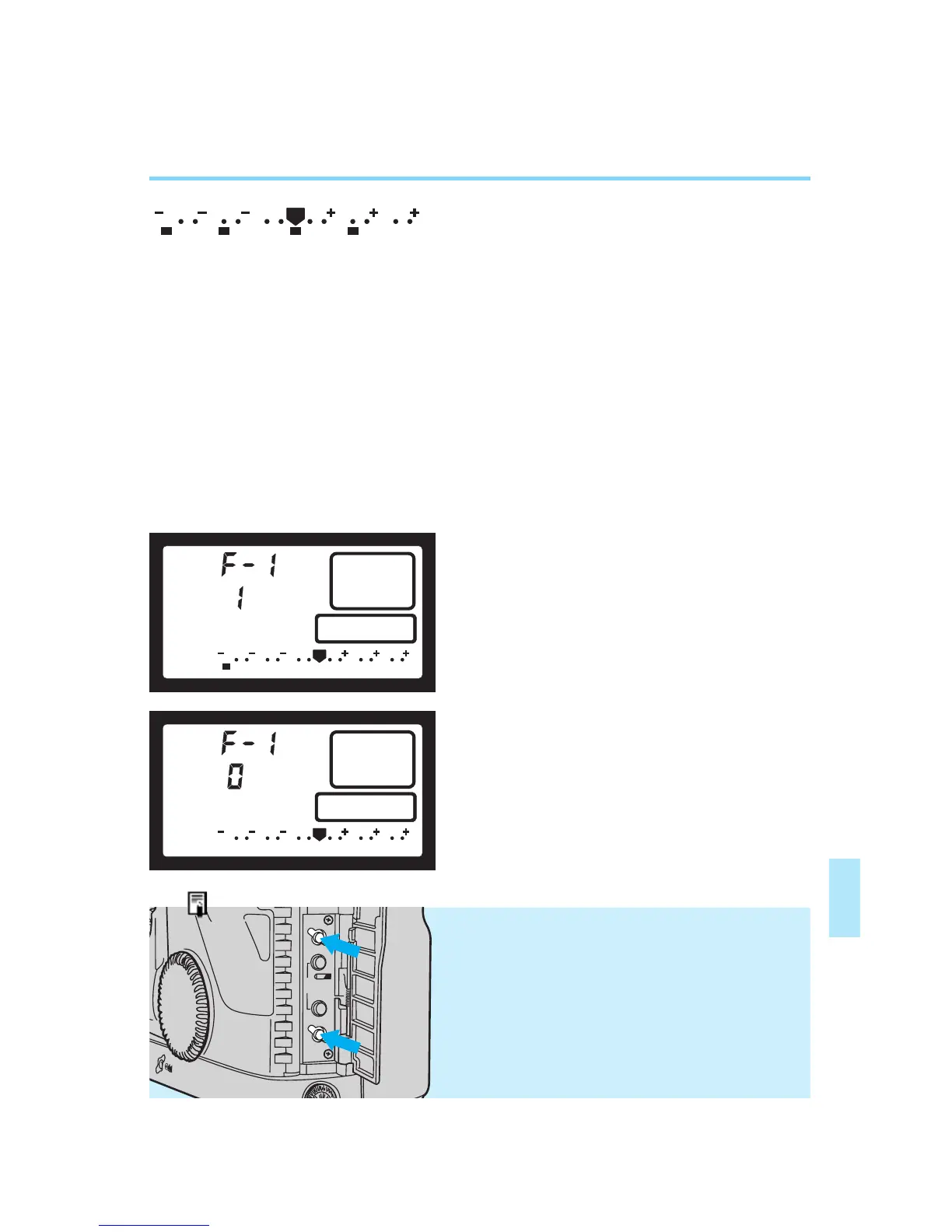
• Dots are displayed below the exposure
scale to indicate custom function settings
which have been selected.
A dot below “–3” indicates that custom
function No. 1 is set. Dots for other custom
functions (Nos. 2~14) are displayed in
sequence to the right of the “–3” position.
• You can check the custom function set-
ting status at any time by pressing the
custom function button to activate the
status display.
(CF1) (CF5) (CF10) (CF14)
• Display example indicating that cus-
tom functions No. 1, No. 5, No. 10 and
No. 14 are set.
Resetting All Custom Functions At
Once
You can reset all the custom functions at once
to their default (0) settings by pressing the clear
button after pressing the custom function but-
ton, while the camera is in the custom function
setting mode.
2
Press the shutter button halfway to
complete the reset operation and
restore the LCD panel to the original
display.
←
←
←
←
1
2
00. Part.6 RS (E) (P.81~105) 27-01-2003 12:39 Page 83


 To Next Page