Using the Built-in Flash
96
In the same way as normal exposure compensation, you can set
exposure compensation for flash. You can set flash exposure
compensation up to ±2 stops in 1/3-stop increments.
1
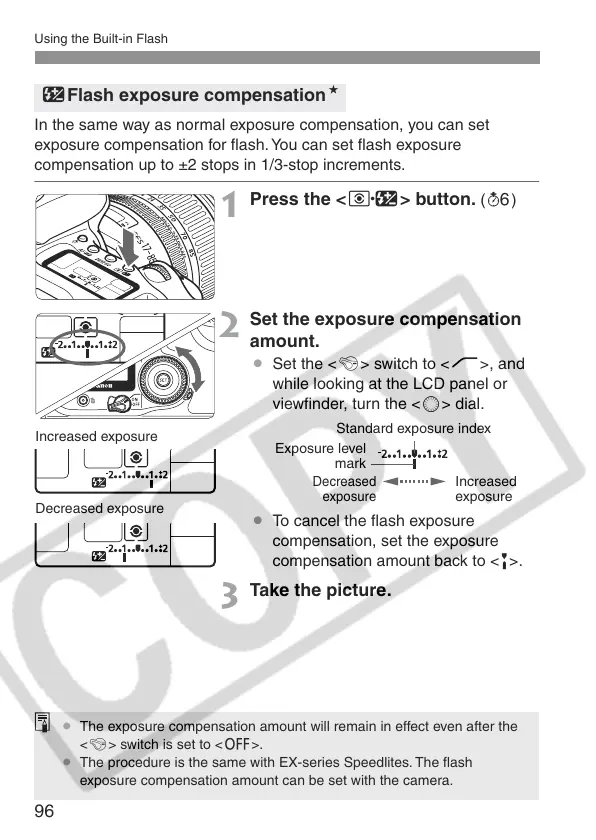
Press the <Q> button. (9)
2
Set the exposure compensation
amount.
¡ Set the <4> switch to <J>, and
while looking at the LCD panel or
viewfinder, turn the <5> dial.
¡ To cancel the flash exposure
compensation, set the exposure
compensation amount back to <E>.
3
Take the picture.
yFlash exposure compensationN
Increased exposure
Decreased exposure
Standard exposure index
Increased
exposure
Decreased
exposure
Exposure level
mark
¡ The exposure compensation amount will remain in effect even after the
<4> switch is set to <2>.
¡ The procedure is the same with EX-series Speedlites. The flash
exposure compensation amount can be set with the camera.















 To Next Page