Handy Features
DISR Checking Camera Functian Settings
While the menu is displayed, press the <DISR> button to display the
camera's current settings.
® While the menu is displayed, press
the <DISR> button to display the
settings.
® Press the <DISR> button again to
return to the menu.
® Press the shutter button haltway to
return to the shooting settings display.
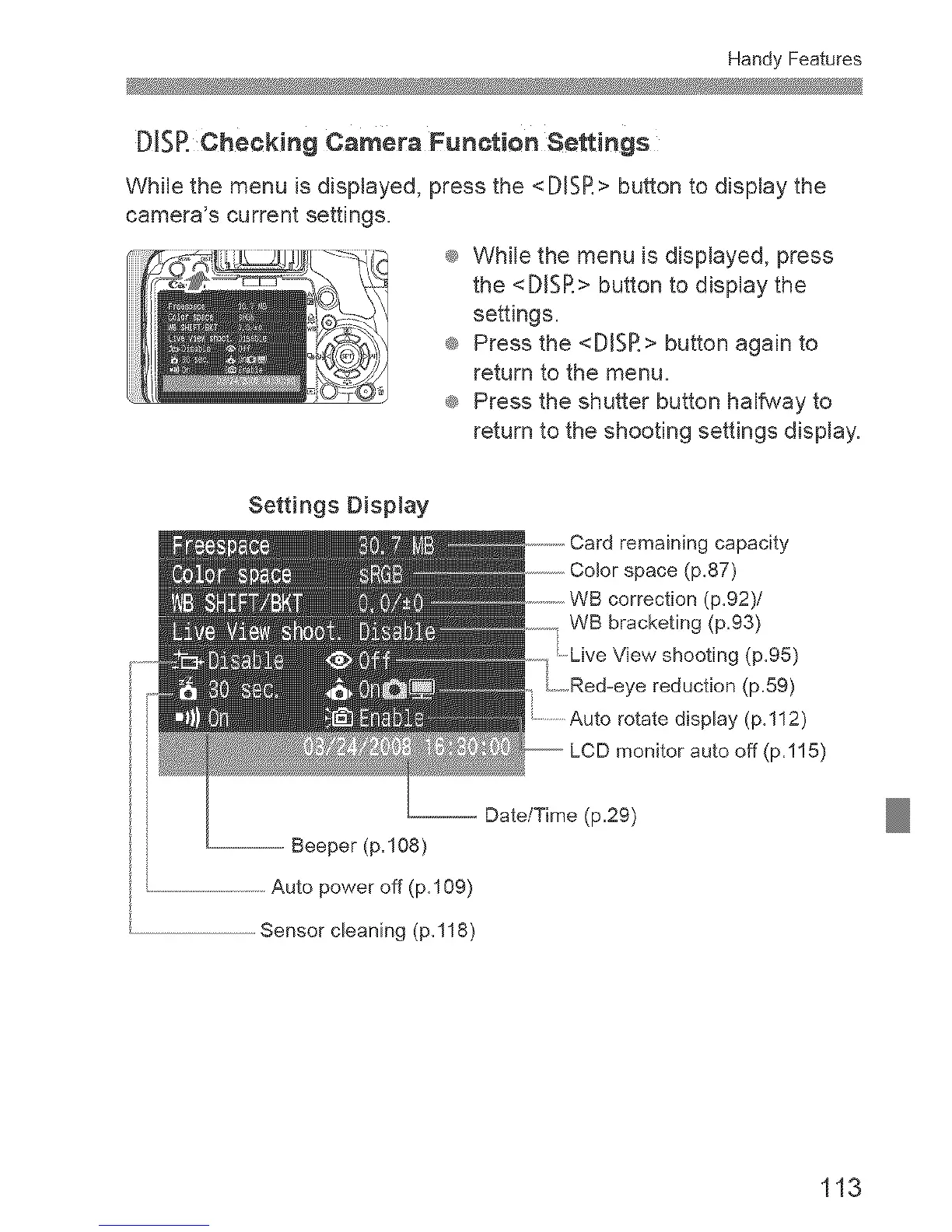
Settings DispJay
remaining capacity
space (p.87)
correction (p.92)/
WB bracketing (p=93)
.Live View shooting (p.95)
i Red=eye reduction (p=59)
display (p.112)
LCD monitor auto off (p=115)
-- Beeper (p.108)
.............................................Auto power off (p.109)
Sensor cleaning (p,118)
. Date/Time (p=29)
113



 To Next Page