Shooting*
About the information DispJay
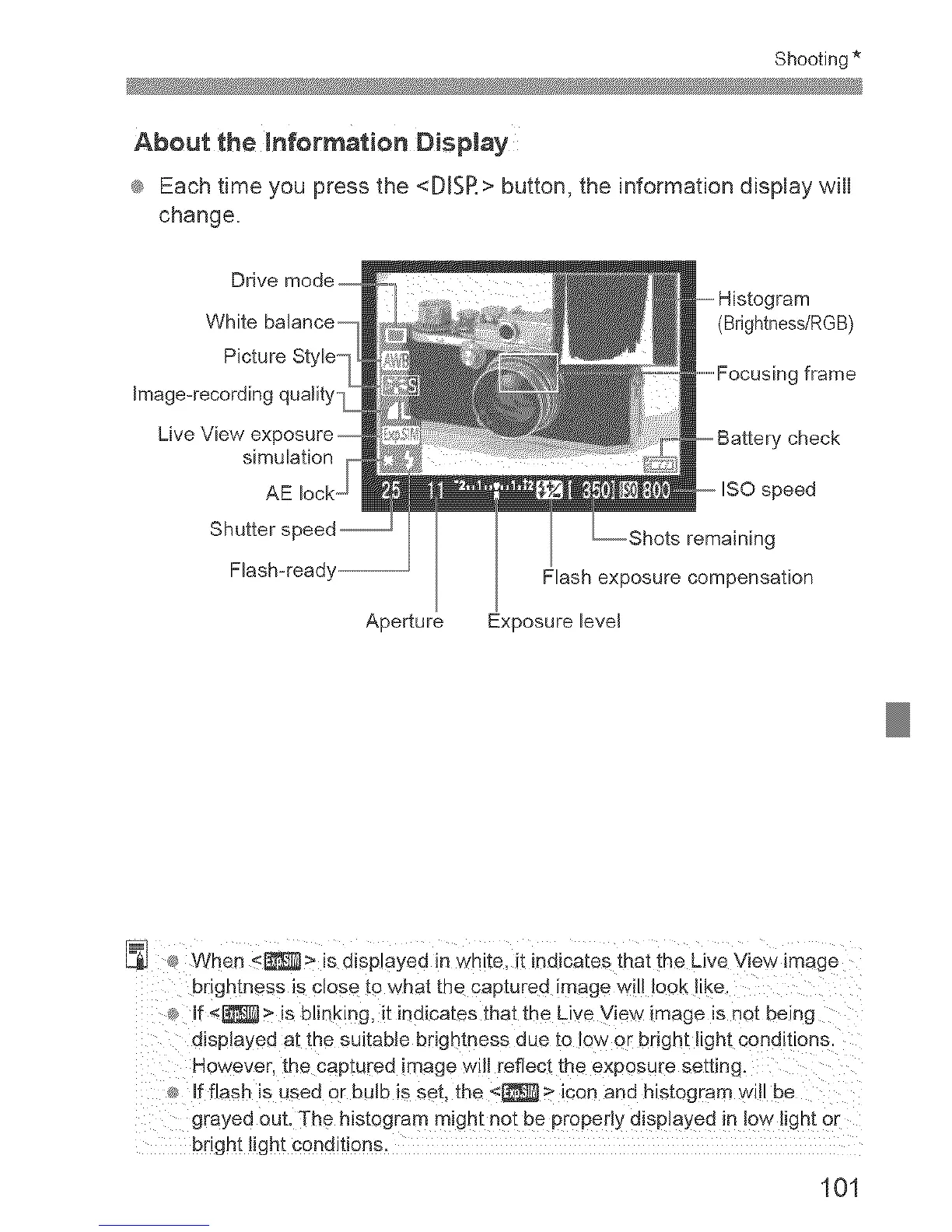
® Each time you press the <DJSR> button, the information display will
change,
Picture Style
Image-recording quality
simulation
AE
Shutter s
Aperture
(Brightness/RGB)
frame
check
remaining
Flash exposure compensation
Exposure level
s_When _ > is displayed in White, it indicates that the Live View image
br!ghtness is cles@ to what the captured !mage will look !ike,
If <_ > is blinking, it indicates that the Live View image is not being
disp!ayed at tbe suitable brightness due to !ow or bright light conditions:
However, the captured image wi!l reflect the exposure setting:
If flash !s used or bulb is set, the <[_ > icon and histogram wi!l be
grayed out. The histogra m might not be properiy displayed !n !ow ligh t or
bright !ight conditions,
101



 To Next Page