Viewing the Images on TV
With the video cable provided with the camera, you can connect the
camera to a TV set and view images on the TV screen. Turn off the
camera and the television before connecting them.
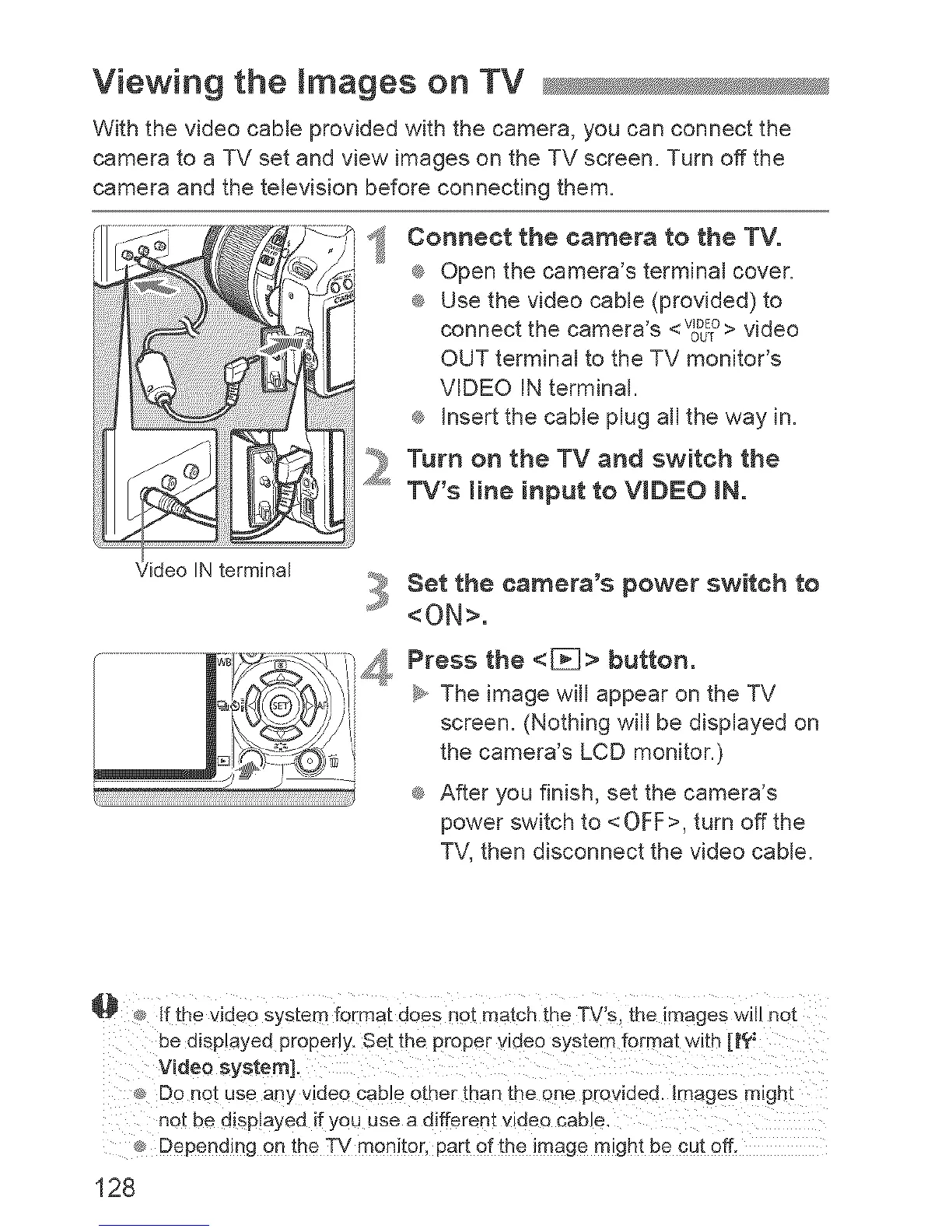
_ onnect the camera to the TV.
® Open the camera's terminal cover.
® Use the video cable (provided) to
connect the camera's <WDEOOUT> video
OUT terminal to the TV monitor's
VIDEO iN terminal.
_ insert the cable plug all the way in.
Tum on the TV and switch the
TV's mine input to VIDEO iN.
IN terminal
i_,1_Set the camera's power switch to
<ON>.
Press the <[}_]> button.
_,, The image wiii appear on the TV
screen. (Nothing wiii be displayed on
the camera's LCD monitor.)
® After you finish, set the camera's
power switch to <OFF>, turn off the
TV, then disconnect the video cable.
_]_ _ f the Video System f0rmat does not match the TV:s, ihe rnageS w not
_, Do not use any video cable other than the one provided. Images might
not be disp!ayed if you use a different videe cable.
_ Depending on the TV monitor, part of the image might be cut off.
128



 To Next Page