Shooting information Display
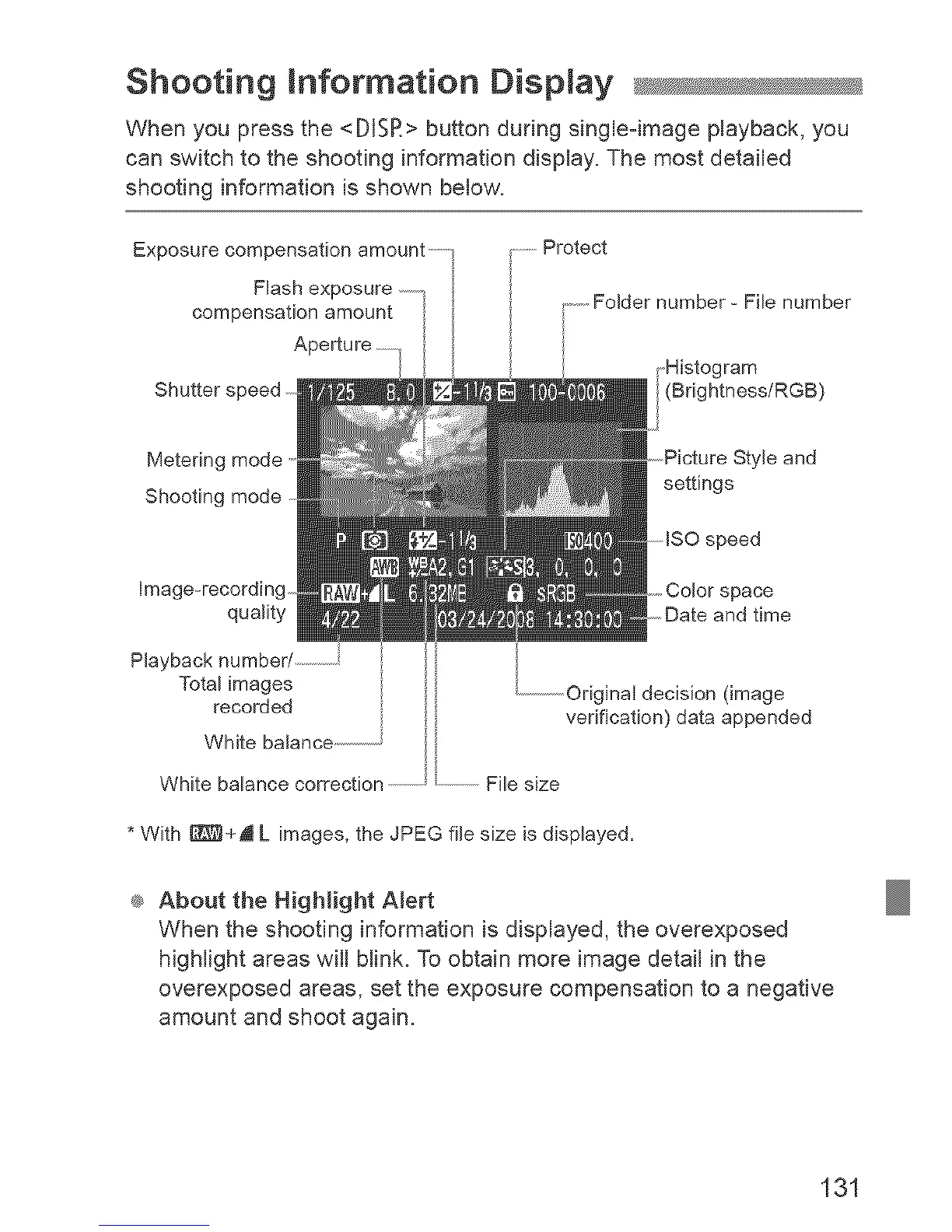
When you press the <DISR> button during single-image playback, you
can switch to the shooting information display. The most detailed
shooting information is shown below.
Exposure compensation amount .......
Flash exposure
compensation amount
Shutter speed ....
Protect
........FoJder number - File number
,Histogram
(Brightness/RGB)
Metering mode 'le and
Shooting mode settings
Image-recording space
quality and time
Playback number/ ...................
Total images
recorded
White balance .....................
.....................Originai decision (image
verification) data appended
White balance correction .....................................File size
* With _+A L images, the JPEG file size is displayed.
@ About the Highlight Alert
When the shooting information is displayed, the overexposed
highlight areas will blink. To obtain more image detail in the
overexposed areas, set the exposure compensation to a negative
amount and shoot again.
131



 To Next Page