/_( Printing
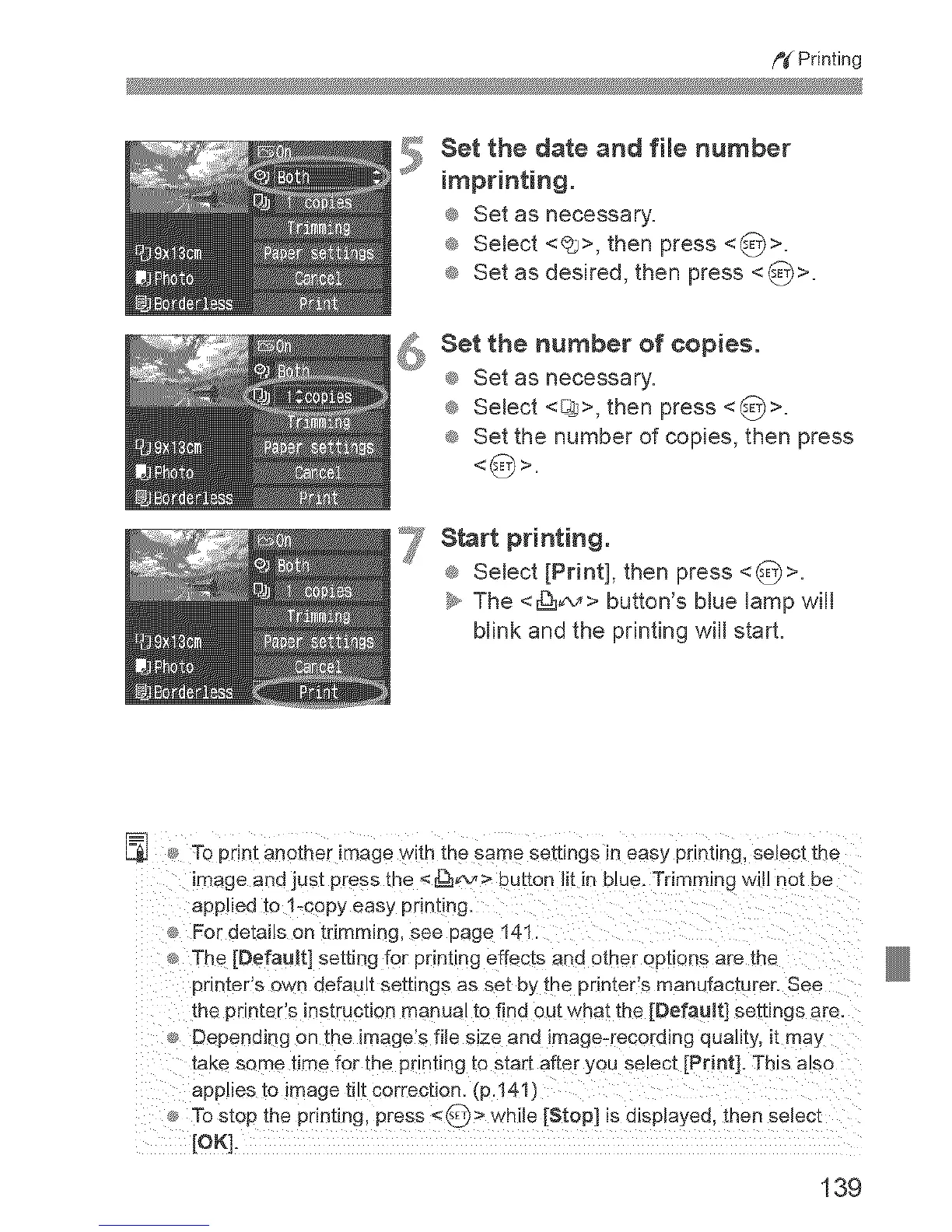
Set the date and file number
imprinting.
® Set as necessary=
® Select <@s>,then press <_>=
® Set as desired, then press <_>=
_s Set the number of copies°
® Set as necessary.
® Select <_>, then press <_/>=
® Set the number of copies, then press
_7 Start printing.
® Select [Print], then press <_>.
b, The <_¢,_> button's Mue _amp wi_
blink and the printing will start.
_ To print another image w_th the same settings in easy prlntLag, select the
image and just press _ne <[_v > eu[ton lit in blue. Trimming wlil not be
applied to 1-copy easy printing.
For detai!s on trimmLng, see page 141.
The [Default] setting for printing effects and other options are the
printer s own default settings as set by the printer's manufacturer. See
the printer's instruction manual to find out what the [Default] settings are.
. Depending on the image's file size and image-recording quality, it may
take some time for the pr nhng [o s_art after you select [Print]. This also
applies to image tilt correction. (p.141)
To stop the printing, press <_ > while [Stop] is displayed, then select
[OK].
139



 To Next Page