Protocol Settings
5-26
5
Using a TCP/IP Network
Pressing [Start] after entering an IPv6 address existing on the network in [IPv6 Address] displays the result
of the PING command on the touch panel display.
Pressing [Start] after entering the machine's host name in [Host Name] displays the result of the PING
command on the touch panel display.
If this result is inappropriate, check the settings described in “Interface Settings,” on p. 4-9, “Confirming
TCP/IPv6 Settings,” on p. 5-25 and see “Settings Common to TCP/IPv4 and TCP/IPv6,” on p. 5-17.
If you set the startup time of the machine's network functions by following the procedure in “Startup Time
Settings,” on p. 5-29, execute the PING command only after the time set as the startup time passes.
If you connect the machine to a switching hub, the machine may not be able to connect to a network even
though your network settings are appropriate. This problem may be resolved by delaying the startup of
network communications for the machine. See “Startup Time Settings,” on p. 5-29 for information on how
to set up the startup time.
3
On the TCP/IP Settings screen, press [SNTP Settings]
→
check the following.
After pressing [NTP Server Check], if <OK> is displayed, time synchronization is working correctly via
SNTP.
If <Error> is displayed, check the settings for [NTP Server Address] set in step 3 of see “Settings Common
to TCP/IPv4 and TCP/IPv6,” on p. 5-17.
Even if you perform [NTP Server Check], time settings are not updated. Check that communications are
possible between the machine and the NTP server.
E-Mail/I-Fax Settings
Optional equipment is required to use the e-mail/I-fax functions if you are using the imageRUNNER
3245/3235/3230/3225. For the equipment needed, see “Optional Equipment and System Requirements for
Connecting to a Network,” on p. 3-2.
1
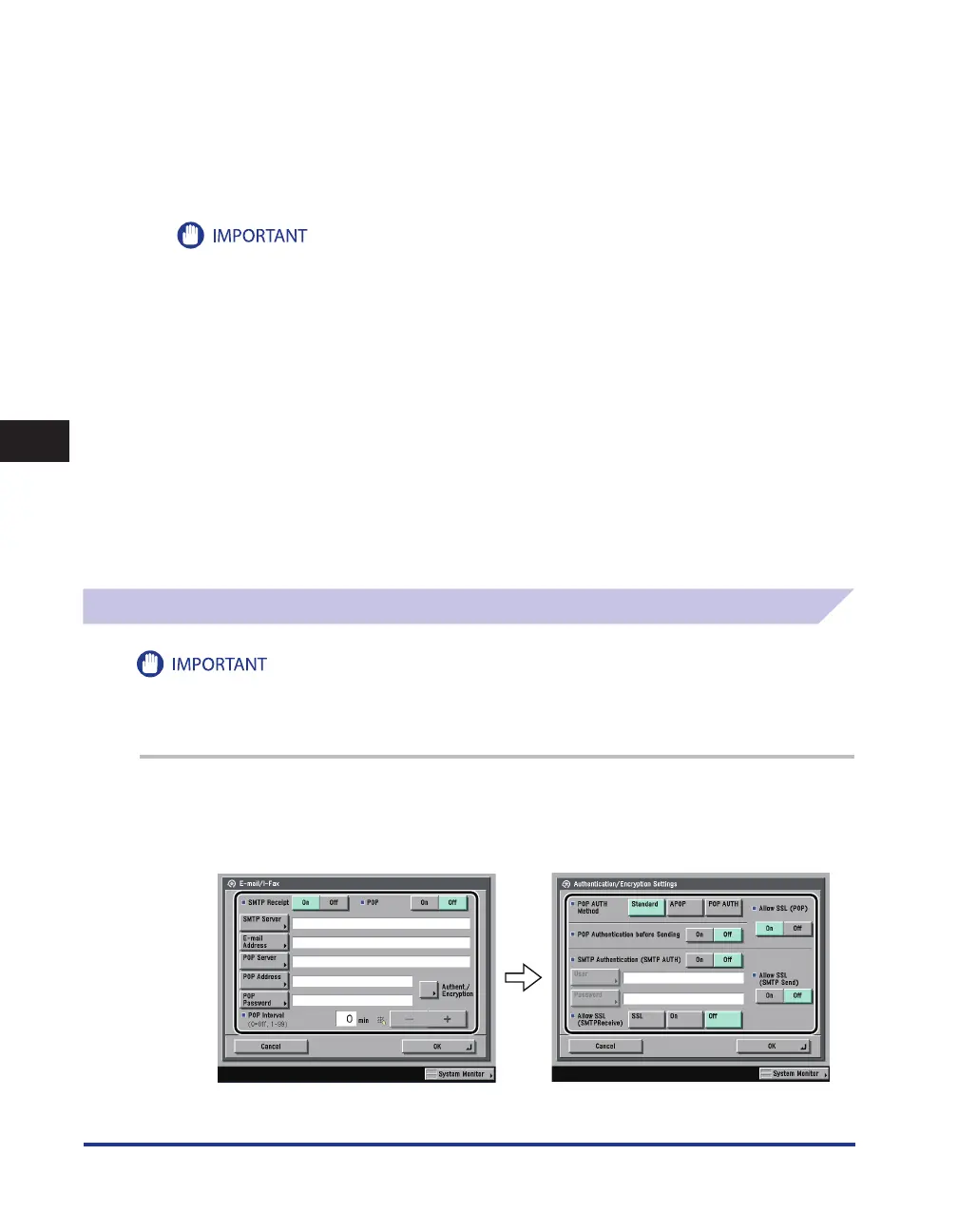
On the Network Settings screen, press [E-mail/I-Fax].
2
Specify the mail server for receiving e-mail/I-faxes.
The machine supports both the SMTP and POP3 functions.
•
•















 To Next Page