License Registration
2-4
2
Using Optional Functions That Require License Registration
3
Press [OK].
The functions you register can be used after restarting the machine. (See Chapter 1, "Before You Start Using
This Machine," in Troubleshooting.)
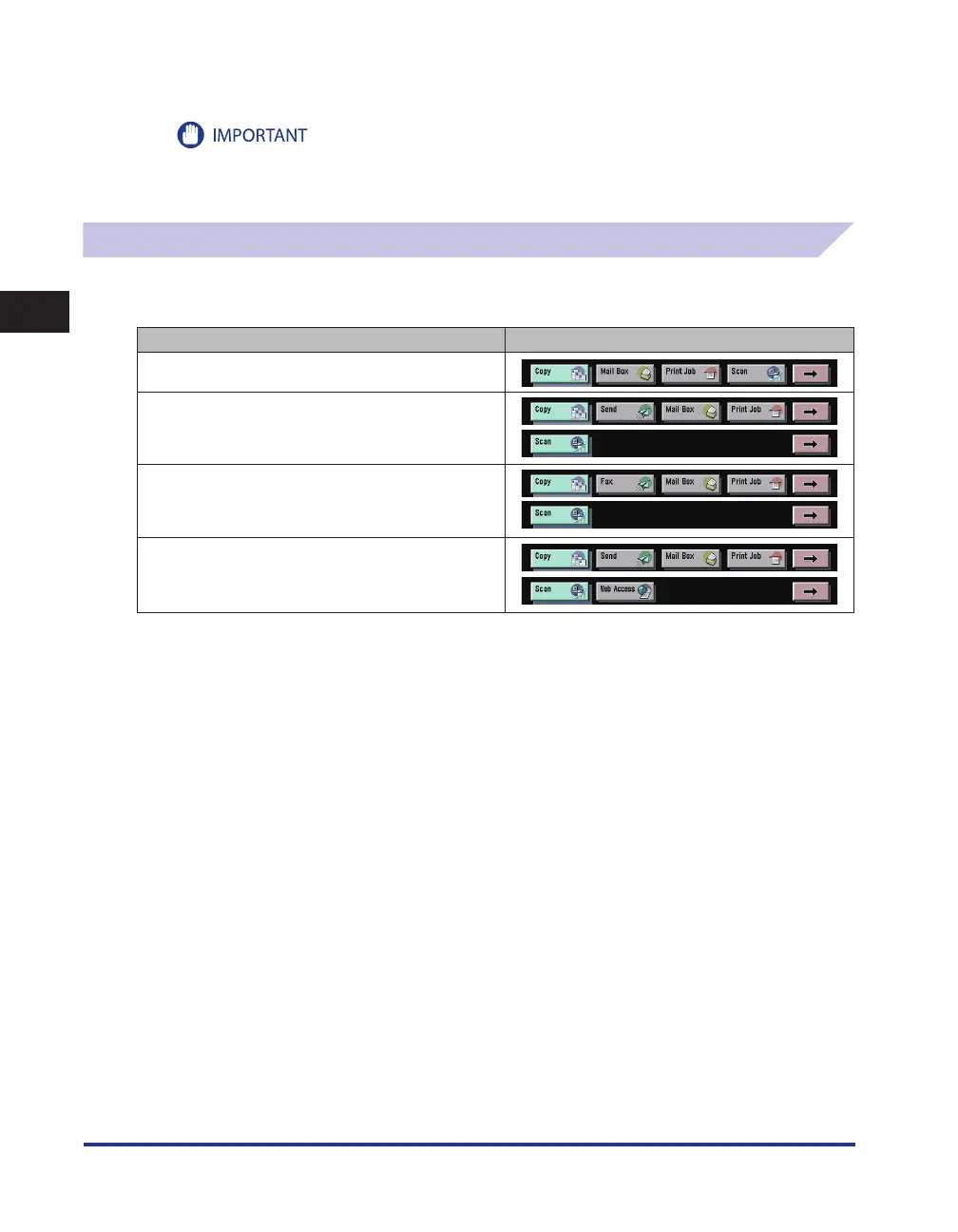
Various Touch Panel Display Screens
The top of the touch panel display may differ according to the optional equipment attached to the
machine.
Attached Optional Equipment Displayed Function Keys
None
Color Universal Send Kit
Super G3 FAX Board
Color Universal Send and Web Access Software















 To Next Page