8-8
Maintenance
Cleaning the Machine
ADF (For D440)
If your documents have black streaks or appear
dirty after copying them using the ADF, this may be
caused by pencil lead rubbing off the documents
and onto the roller. Clean the ADF scanning area
and roller.
1
Turn OFF the main power switch and
disconnect the power cord.
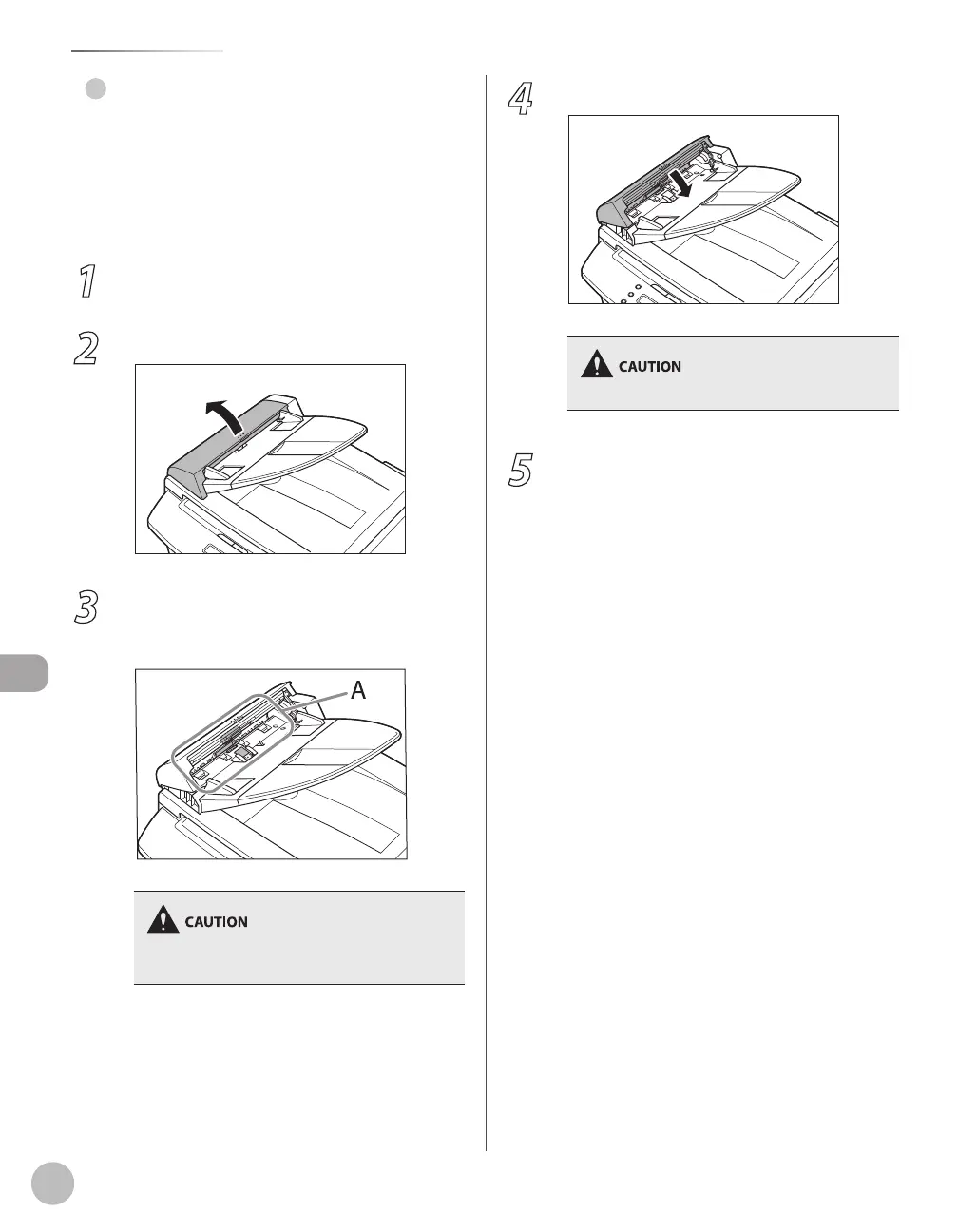
2
Open the ADF cover.
3
Clean the rollers (A) inside the ADF with a
cloth dampened with water. Then wipe
the area with a soft, dry cloth.
Do not dampen the cloth too much, as this may
tear the document or damage the machine.
●
4
Close the ADF cover.
Be careful not to get your fingers caught.
5
Reconnect the power cord and turn ON
the main power switch.














 To Next Page