Before Using the Machine
1-10
Display (Standby Mode)
Display (Standby Mode)
Copy Mode
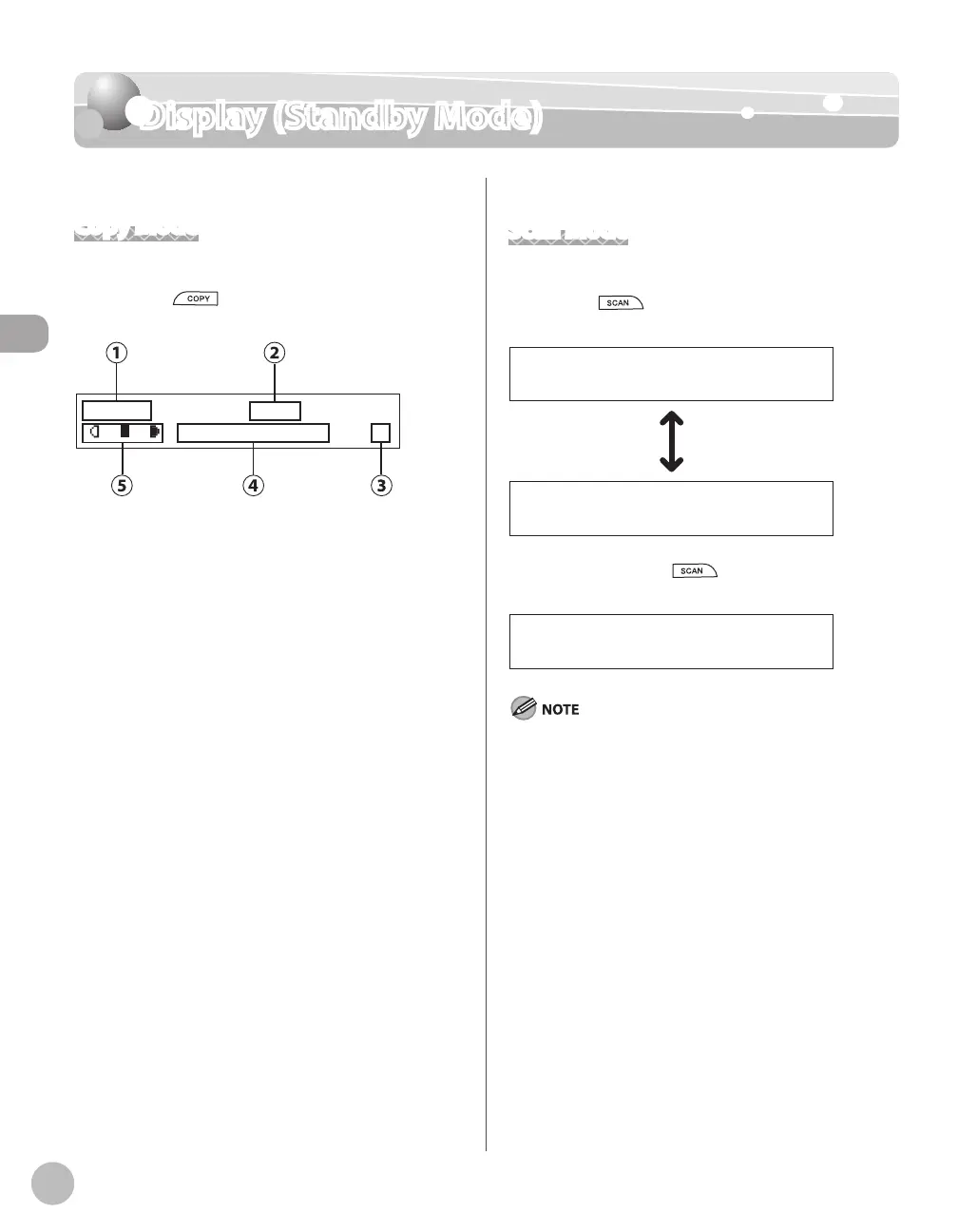
This section describes the copy standby mode. Be
sure to press
[COPY] to switch to the
following display whenever using copy functions:
T E X T / P H O T O 1
1 0 0 % L T R
①Zoom ratio
②Paper size
③Quantity
④Image quality
⑤Density
Scan Mode
This section describes the scan standby mode. For
D460, press
[SCAN] repeatedly to select <USB
SCANNING> or <NETWORK SCANNING>.
U S B S C A N N I N G
N E T W O R K S C A N N I N G
For D440/D420, press [SCAN] to display
<SCANNING MODE>.
Depending on your needs, you can change the standby
display which appears when the main power switch is turned
ON. For details, see “Introduction of the Machine,” in the e-
Manual.
When the main power switch is turned ON, the display
displays <PLEASE WAIT> until the standby display appears.
If the machine remains idle for one minute, the display returns
to the standby mode (Auto Clear Function).
–
–
–














 To Next Page