Copying
3-13
Collating Copies
Collating Copies
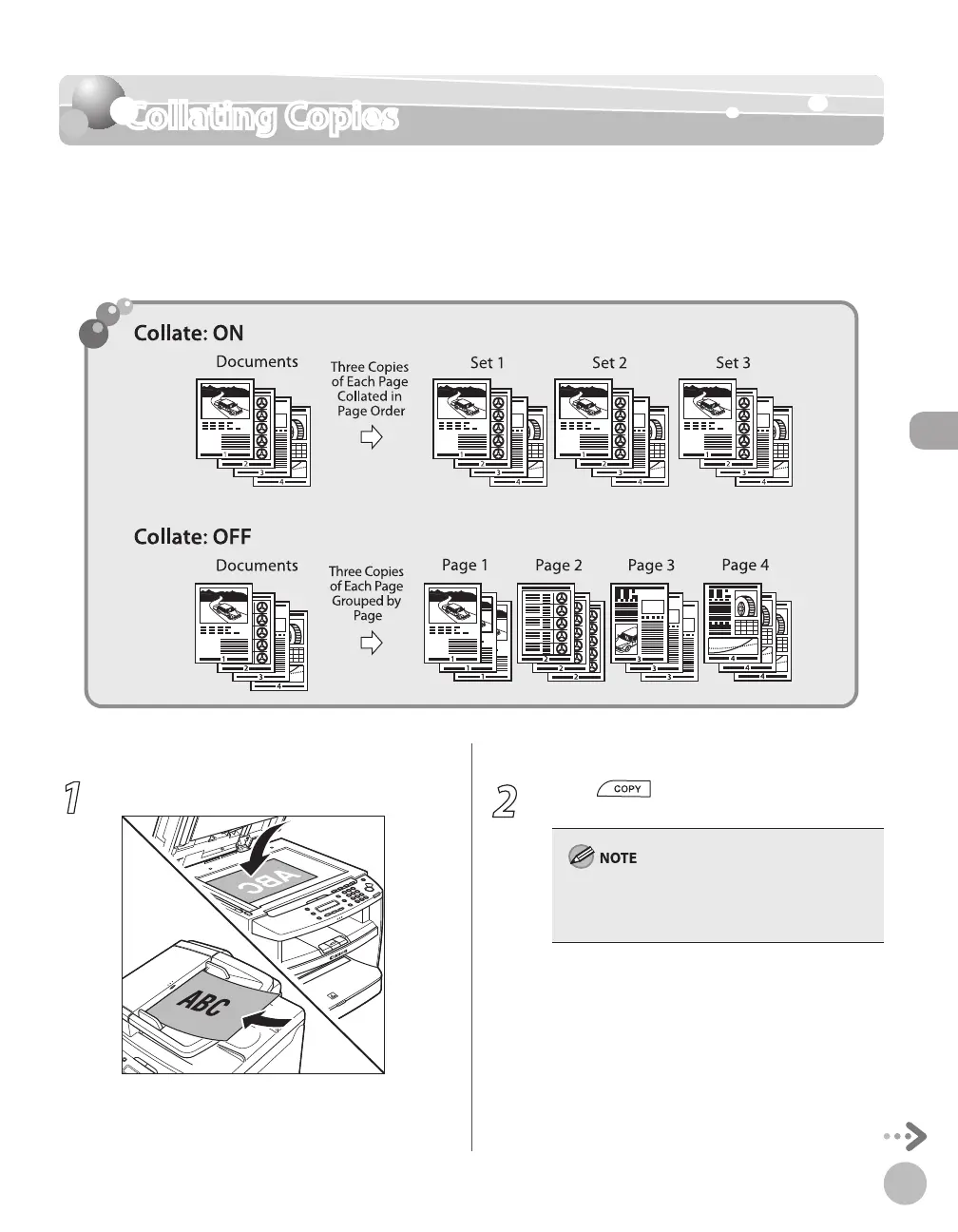
You can sort copies into sets arranged in page order. This function is useful when making
handouts for meetings. This feature can be used together with both “2-Sided Copying,” (see
p
. 3-18) and “Multiple Documents onto One Sheet (2 on 1),
” (see p. 3-15).
The default setting is <OFF>.
1
Place documents.
For details, see “Placing Documents,” on p. 2-4.
2
Press [COPY].
If <AUTO COLLATE> is set to <ON> in
<STANDARD SETTINGS> in <COPY SETTINGS>,
skip to step 4.














 To Next Page