Before Using the Machine
1-14
Entering Characters
Entering Characters
For displays that require alphanumeric entries, follow the procedure below to enter
characters.
Example: Enter <Canon>.
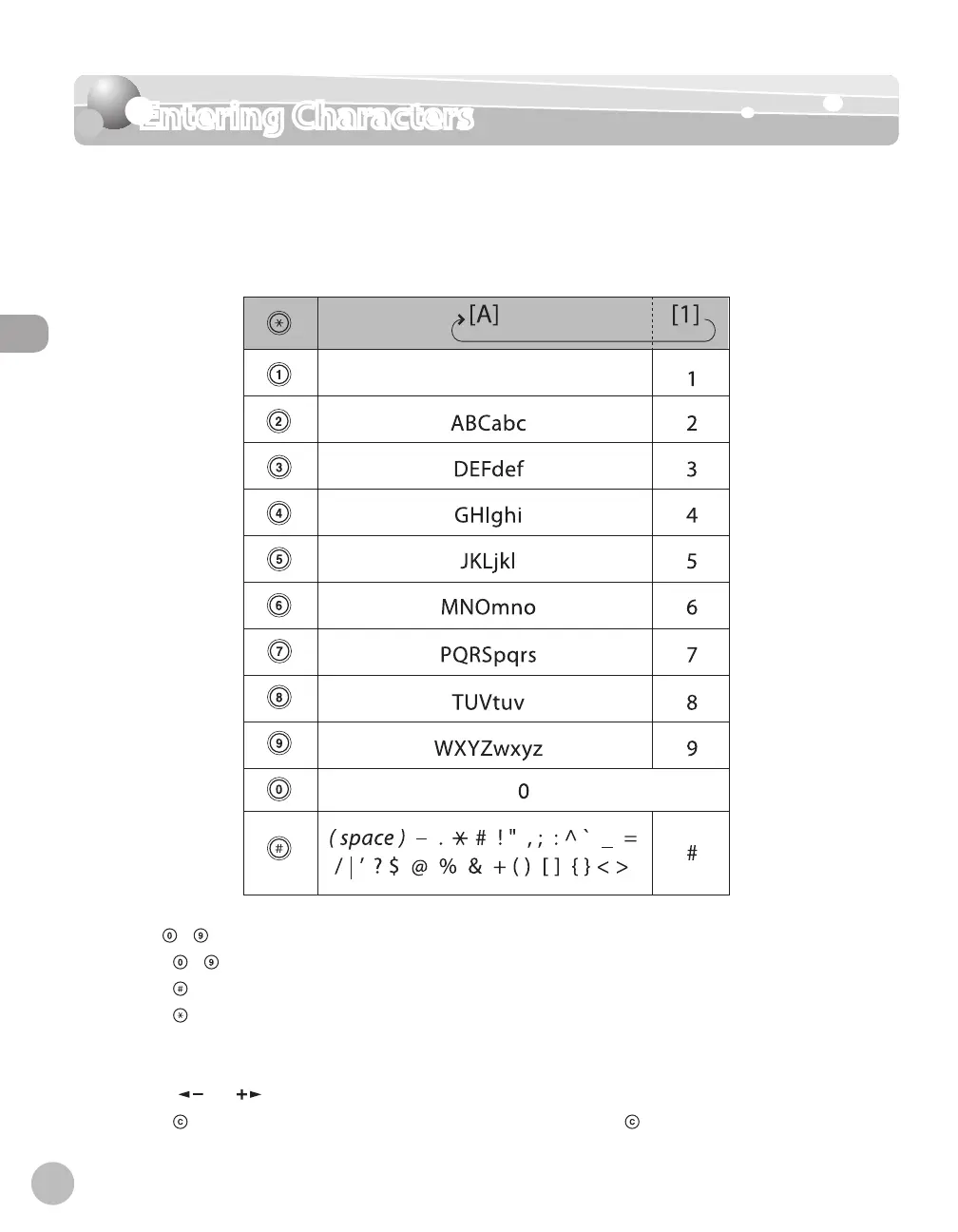
You can enter the following characters in each input mode:
Use – [numeric keys] to enter characters.
Press
– [numeric keys] repeatedly until the required character appears.
Press
to enter symbols.
Press
to switch between input modes:
[A]: Letter mode
[1]: Number mode
Press [
] or [ ] to move the cursor position.
Press
[Clear] to delete the character at the cursor position. Hold [Clear] to delete the entire entry.
●
●
●
●
–
–
●
●














 To Next Page