8-13
Maintenance
Replacing the Toner Cartridge
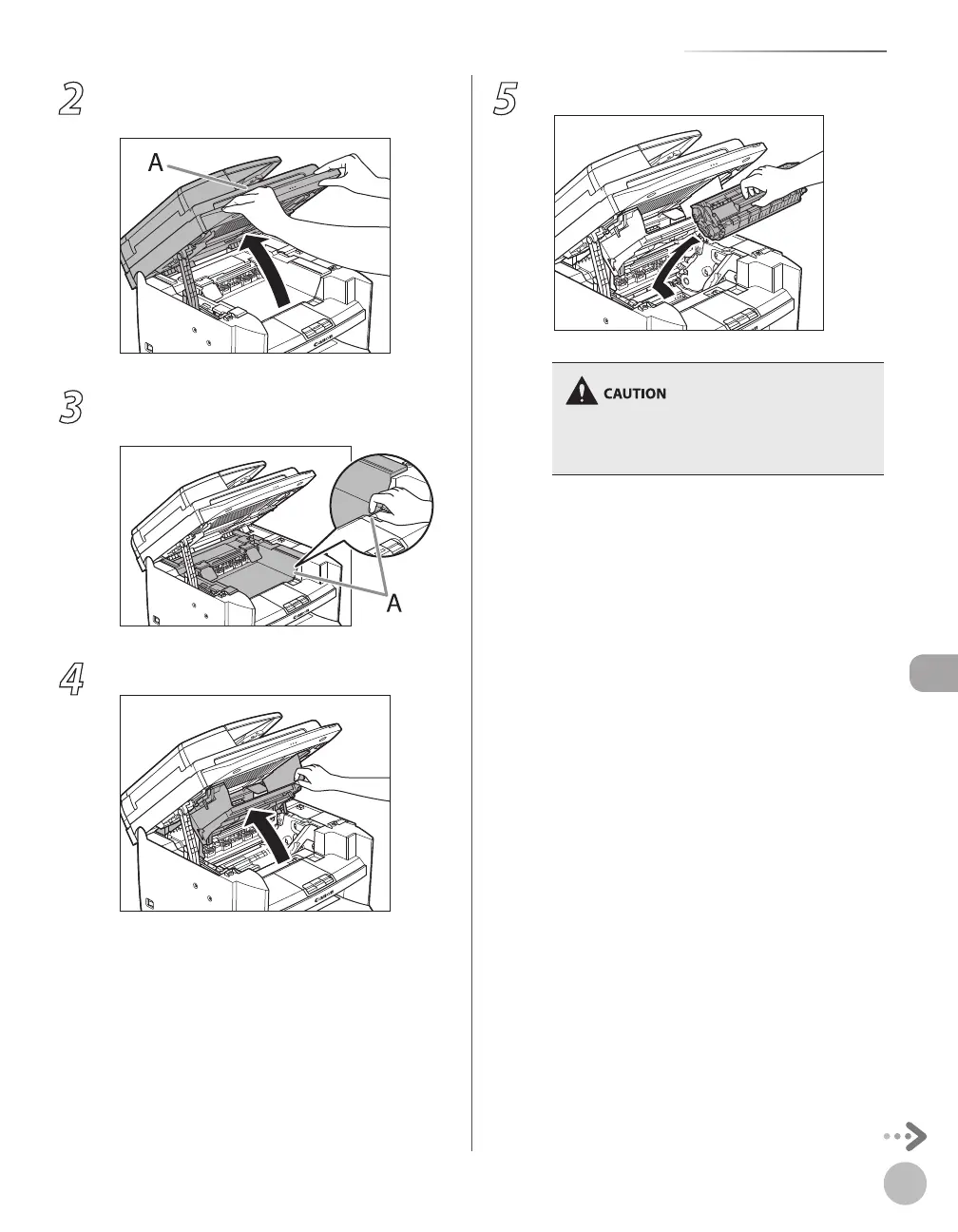
2
Lift the scanning platform (A) until it is
locked. (You will hear an audible “click.”)
3
Hold the grip (A) on the right front side of
the toner cover.
4
Open the toner cover.
5
Remove the toner cartridge.
Do not touch the rollers and parts which have
labels “CAUTION! Hot surface avoid contact” on.
They become very hot during use.














 To Next Page