8-28
Maintenance
Transporting the Machine
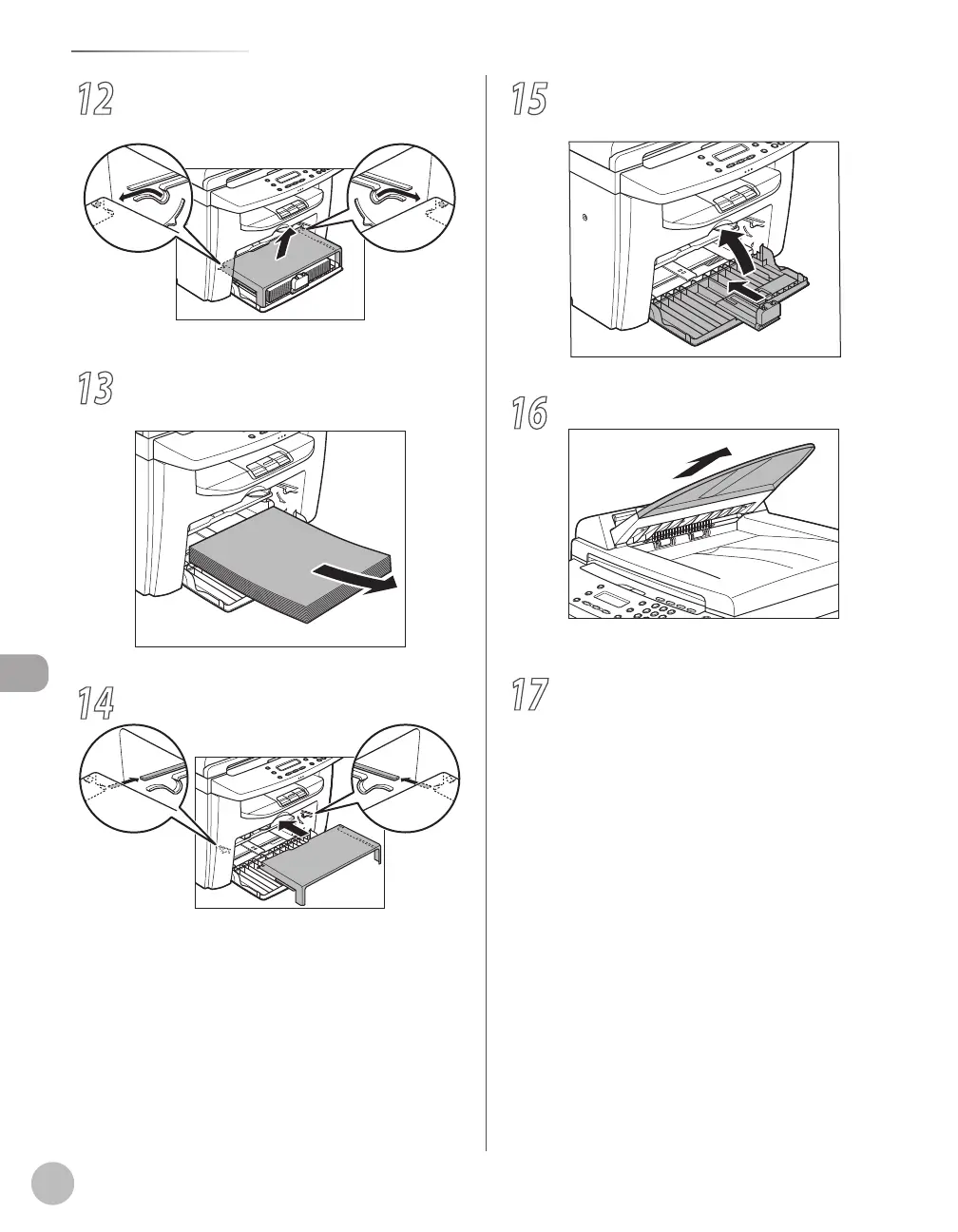
12
Remove the dust cover from the paper
feeding tray.
13
Remove the paper from the paper feeding
tray.
14
Store the dust cover inside the machine.
15
Push the paper guide rail, and then close
the paper feeding tray.
16
Detach the Document feeder tray.
For D420, skip to the next step.
17
Make sure all the covers are closed.














 To Next Page