9-3
Troubleshooting
Clearing Jams
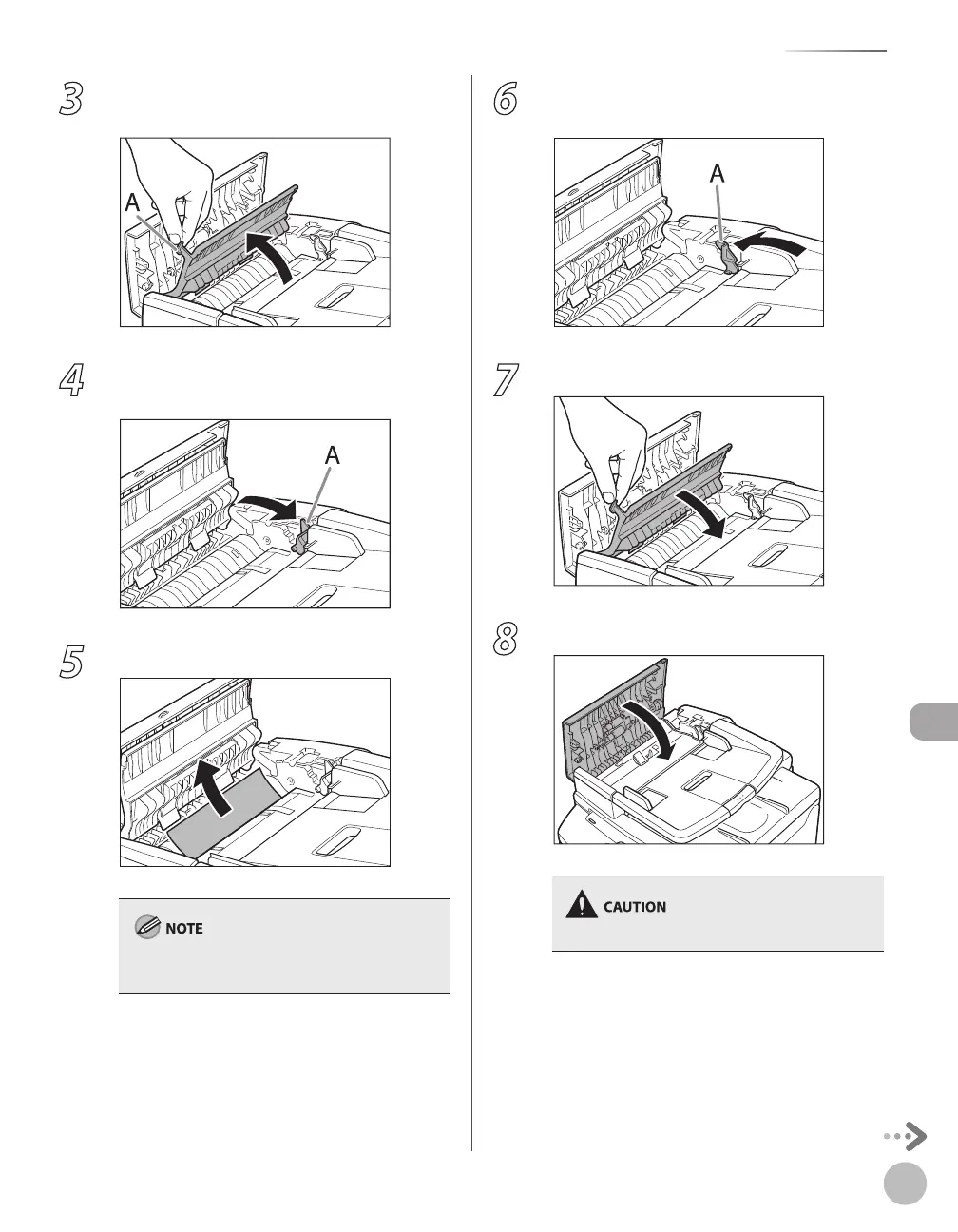
3
Open the inner cover, holding it by its
front tab (A).
4
Lift the release lever (A) until it clicks into
place.
5
Remove the jammed document.
Do not force a jammed paper out of the machine
as it may tear.
6
Return the release lever (A) to its original
position.
7
Close the inner cover.
8
Close the ADF cover.
Be careful not to get your fingers caught.














 To Next Page