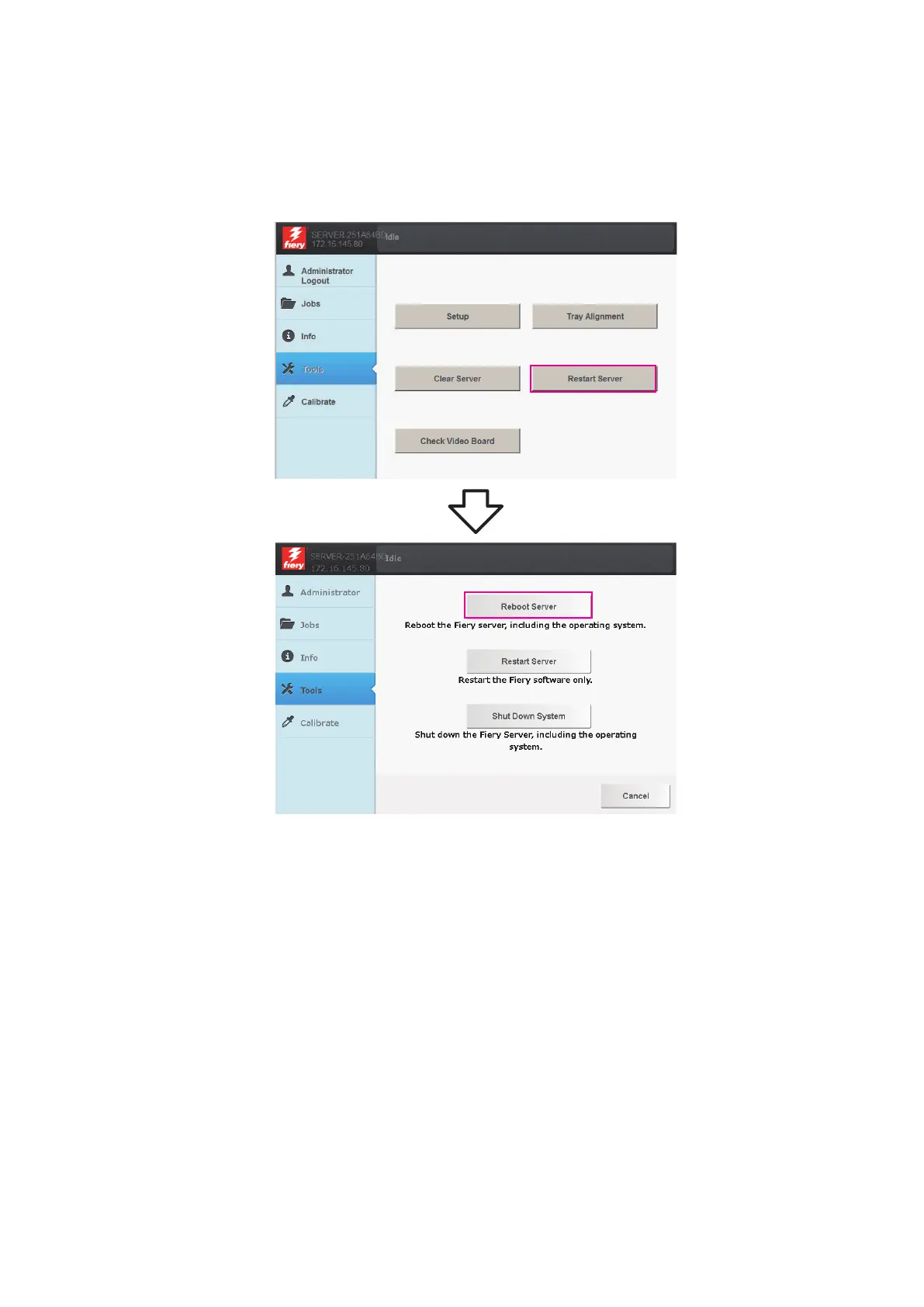
■ To reboot the imagePRESS Server
1. Make sure that the imagePRESS Server is not receiving, processing, or printing jobs.
2. From the printer control panel, press the Home button. If the Fiery icon does not appear on the copier touch panel,
press the arrow at the lower right.
3. From the printer touch panel, select Fiery > Tools > Reboot Server.
Figure 3a: The imagePRESS Server Tools menu
■ To restart the imagePRESS Server
1. Make sure that the imagePRESS Server is not receiving, processing, or printing jobs.
2. From the printer control panel, press the Home button. If the Fiery icon does not appear on the copier touch panel,
press the arrow at the lower right.
2. USING THE IMAGEPRESS SERVER
12



 To Next Page