Chapter 3
3-8
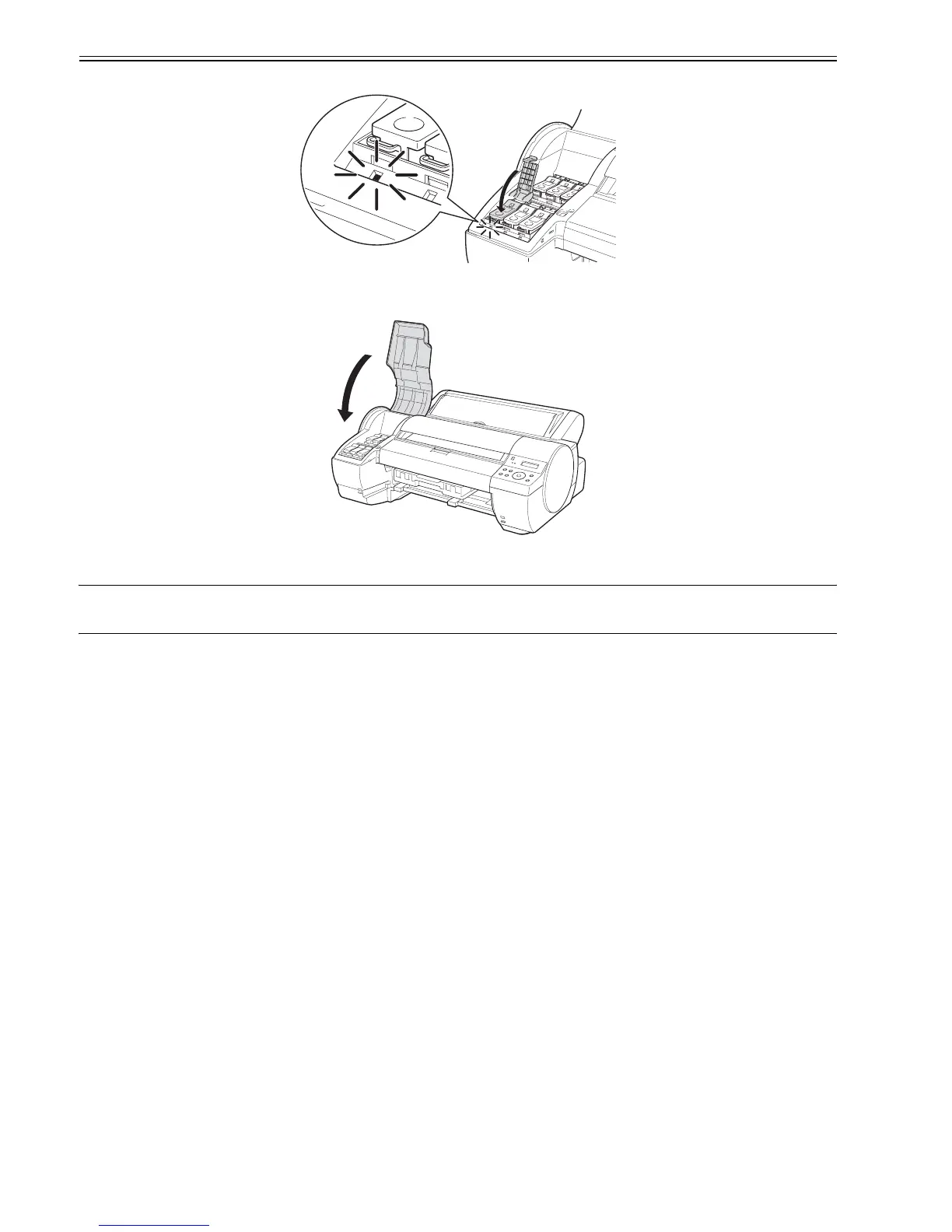
(24) Close the ink tank lock lever until it clicks. Check that the Ink lamp is light in red.
F-3-29
(25) Repeat steps (20) to (24) to install all ink tanks.
(26) Close the ink tank cover.
F-3-30
(27) When the printhead and all ink tanks have been installed, the message "Do Not Open Cover" appears on the display and initial ink filling requires about 14
minutes.
MEMO:
- Initial ink filling performed at printer installation consumes ink beween the ink tanks and printhead.
- "80%" may be displayed as the remaining ink level immediately after initial ink filling. This is not a failure.




 To Next Page