Chapter 4
4-2
4.2 Disassembly/Reassembly
4.2.1 Disassembly/Reassembly
0016-9451
For the procedure for disassembly/reassembly of the components excluding the major components,refer to the paets catalog.
Illustrations in the parts catalog are assigned illustration nombers according to the order in which parts are disassembled.
4.3 Points to Note on Disassembly and Reassembly
4.3.1 Note on locations prohibited from disassembly
0012-6349
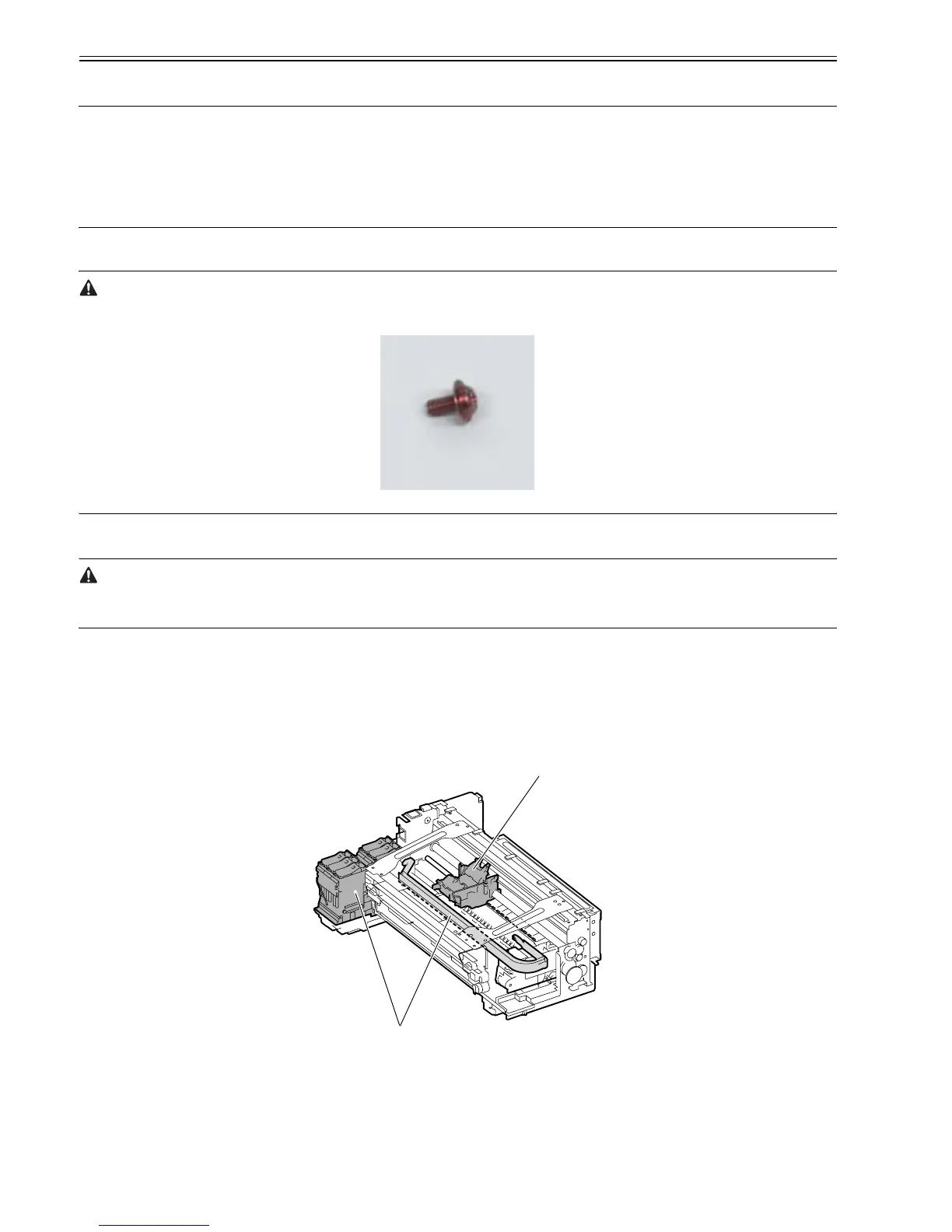
Assemblies that are prohibited from disassembly and their adjustment outside the factory cannot be conducted are indicated by red screws.
Don't never loosen or remove the red screw, because normal operation and print can't be done if it is loosened or removed.
F-4-2
4.3.2 Moving the carriage manually
0012-6350
Move the carriage as required during disassembly/reassembly to prevent the carriage form contacting the parts to be removed.
The carriage does not move when capped. When uncapping moving the carriage, refer to the procedures in DISASSEMBLY/REASSEMBLY>Points to Note on
Disassembly and Reassembly>Opening the Cap/Moving the Wiper Unit.
4.3.3 Units requiring draining of ink
0013-5095
When disassembling the following units of the ink passage, drain ink complateil to prevent it from leaking. For how to drain ink, refer to DISASSEMBLY/REAS-
SEMBLY > Pointe to Note on Disassembly and Reassembly > Draining the Ink.
[1] Carriage unit
Refer to DISASSEMBLY/REASSEMBLY > Points to Note on Disassembly and Reassembly > Carriage Unit.
[2] Ink tank unit
Refer to DISASSEMBLY/REASSEMBLY > Points to Note on Disassembly and Reassembly > Ink Tank Unit.
F-4-3
[1]
[2]







 To Next Page