Chapter 1
1-19
Use to secure roll media to the roller holder.
[3] Roller holder slot
Set the roller holder in this guide groove.
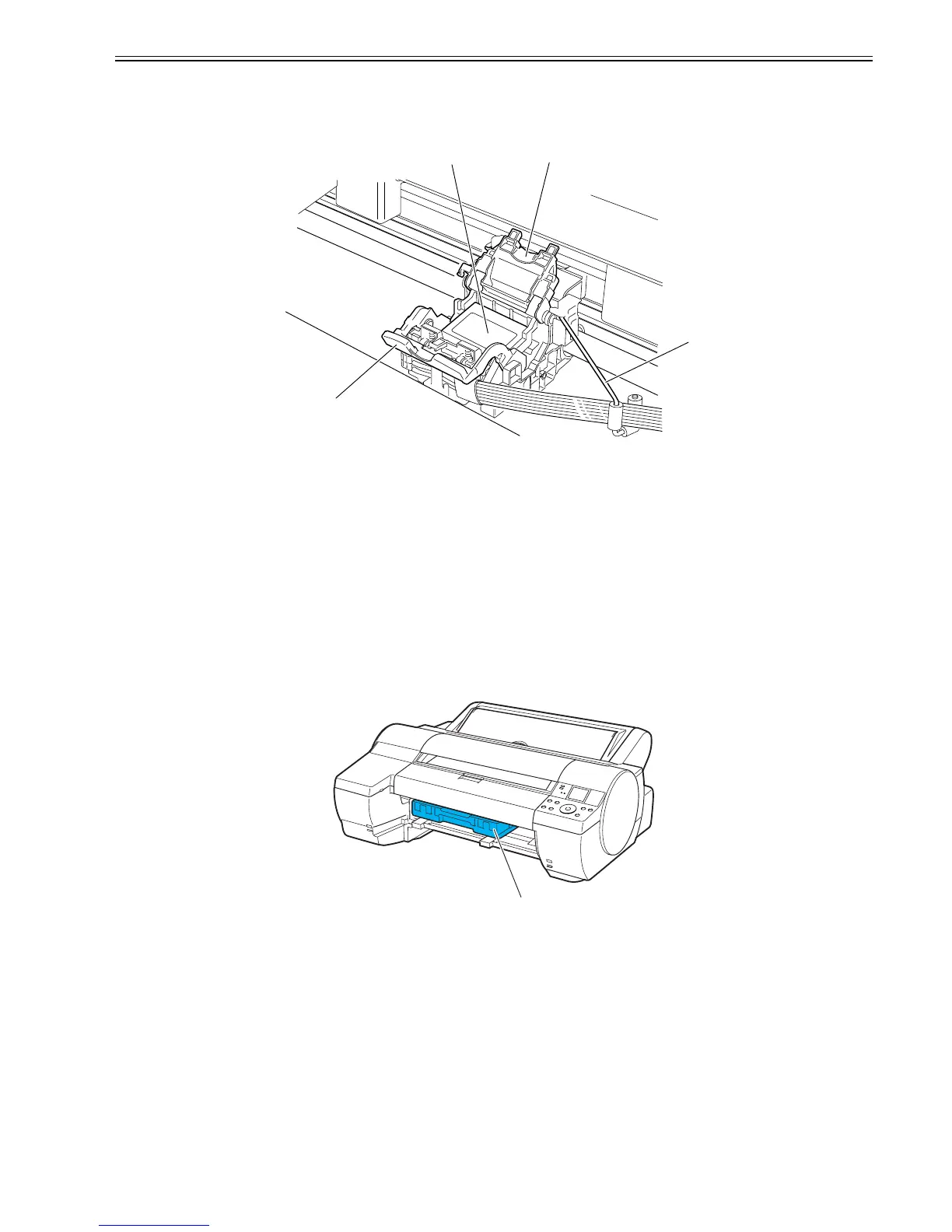
1.5.6 Carriage
0012-6338
F-1-22
[1] Carriage
[2] Printhead lock cover
This cover is used to lock the printhead. Open this cover when installing the printhead.
[3] Printhead
The printhead incorporated nozzles. It is an important part for printing.
[4] Printhead lock lever
This lever is used to lock the printhead. Open this lever when installing the printhead.
[5] Ink tube guide
This stay is used as an ink tube guide.
1.5.7 Inside
0013-3726
F-1-23
[1] Maintenance cartridge
Absorbs excess ink
[4]
[2] [1]
[3]
[1]












 To Next Page