Chapter 4
4-42
b) Removing the main controller mounting plate
1) Remove the main controller PCB.
2) Free the harness from the harness guide.
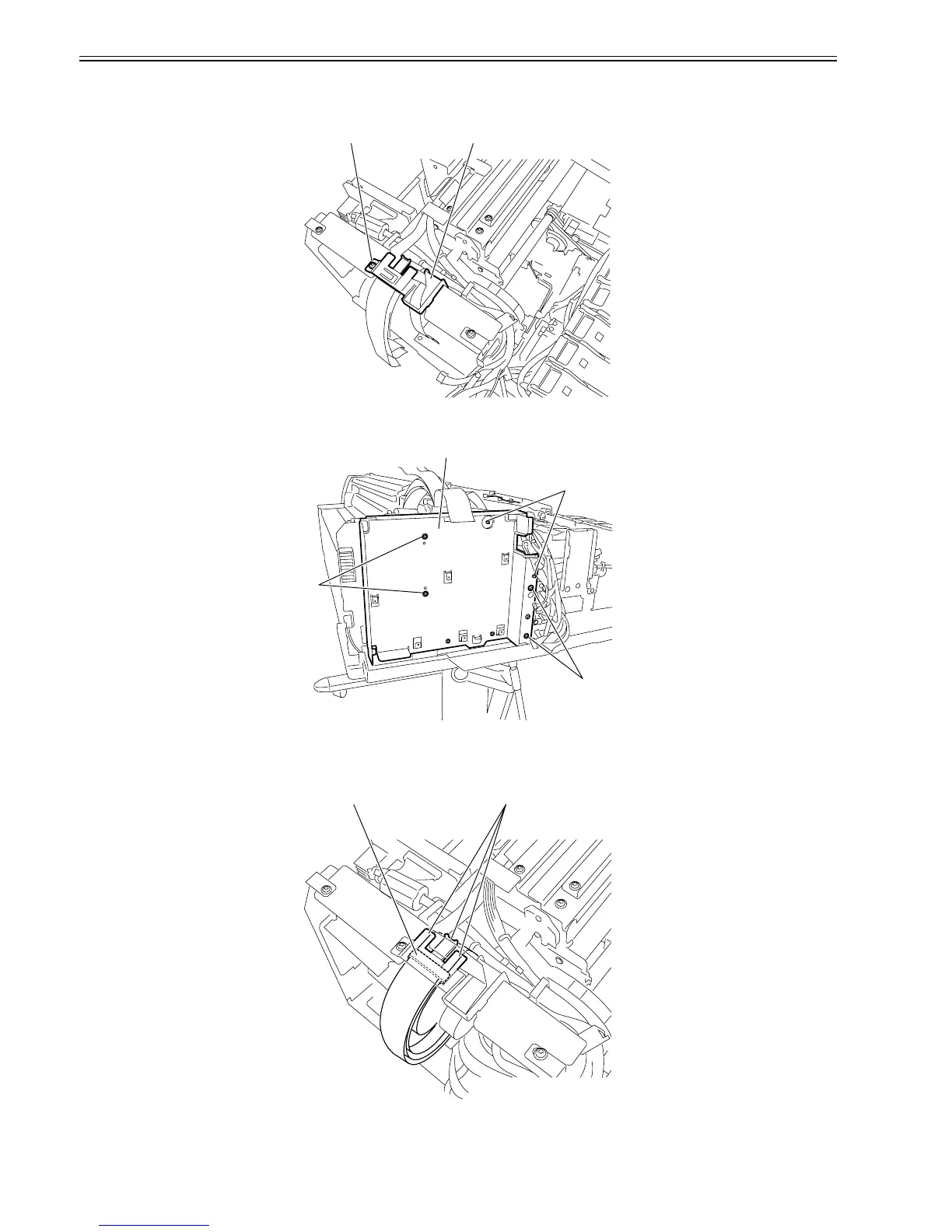
3) Remove screw [1] and remove the flexible guide [2].
F-4-106
4) Remove the four screws [1] and two hooks [2] from the harness guide and remove main controller mounting plate [3].
F-4-107
c) Note on installing the cable holder
In installing the cable holder, secure ferrite core [1] to the flexible cable on the carriage with the cable holder before hooking the flexible cable from the operation
panel at three claws [2].
F-4-108
[1] [2]
[3]
[3]
[4]
[5]
[2][1]












 To Next Page