Chapter 4
4-24
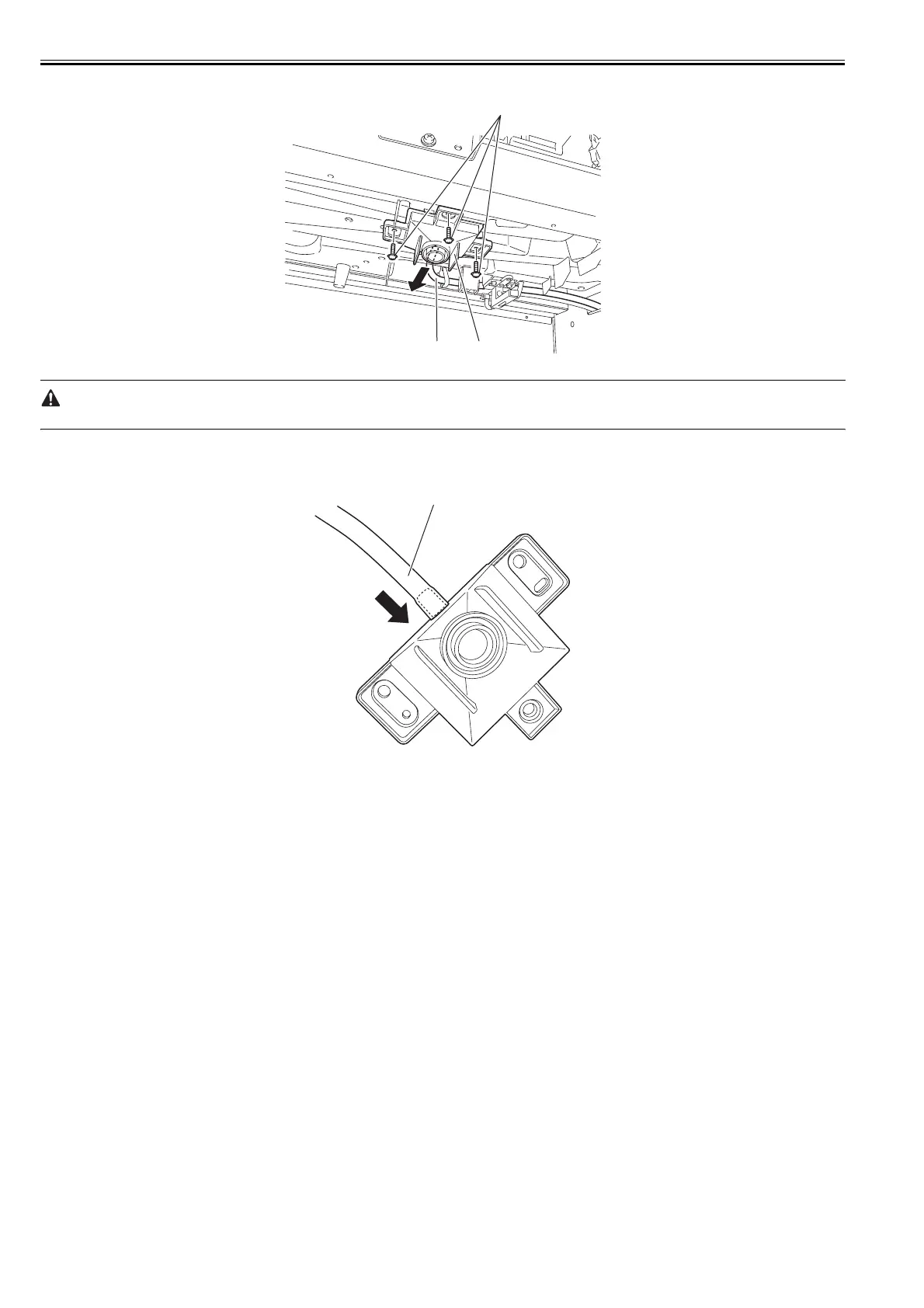
6) Remove three screws [1] and drain ink tube [2], and then remove the drain ink tube joint (CL) [3].
F-4-48
When removing the drain ink tube joint (CL) and the drain ink tube, be careful so that the ink do not spout or drip.
Precautions about Reinstallation of drain ink tube joint (CL)
- When attaching the drain ink tube joint (CL), insert the drain ink tube [1] firmly to the joint.
F-4-49
[2]
[1]
[3]
[1]














 To Next Page