User Manual CD-ROM Menu
xxii
Using The CD-ROM Menu
This section describes how to use the CD-ROM Menu. When you insert the User Manual
CD-ROM provided into the CD-ROM drive, the Language Selection screen is displayed.
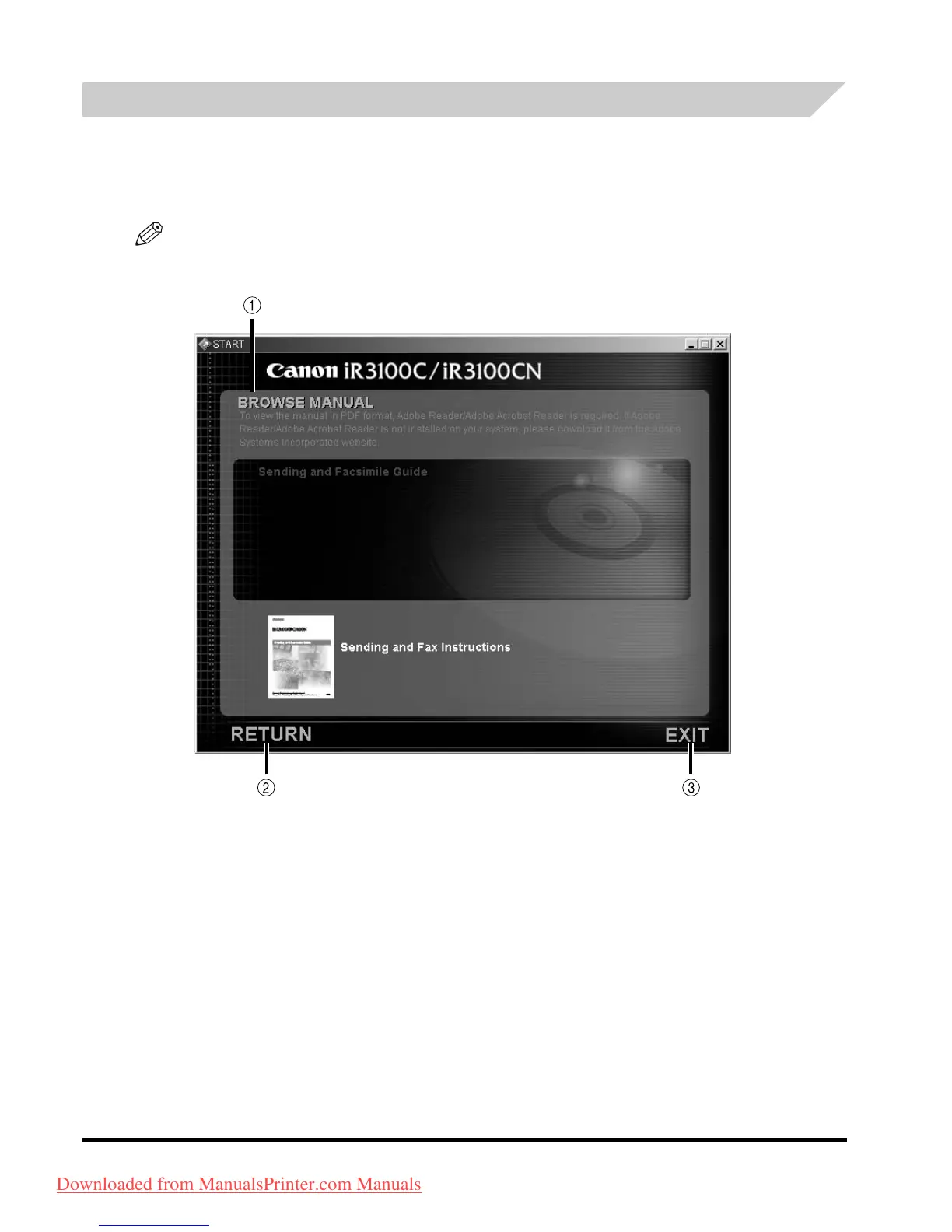
Clicking a language on this screen displays the following menu. (The sample screenshot shown
here is for Windows users.)
NOTE
For Macintosh users, double-click the [START] icon to start the CD-ROM Menu. The Language
Selection screen is displayed.
The screen shot shown above may differ from the one you actually see, depending on the
machine you are using.
a BROWSE MANUAL
You can read any of the listed guides by clicking on the
desired guide. After clicking on the desired guide,
a PDF-reading software, such as Acrobat Reader,
starts, and the PDF manual is displayed.
b RETURN
Return to the Language Selection menu.
c EXIT
Exit the CD-ROM menu.
Downloaded from ManualsPrinter.com Manuals



 To Next Page