Periodic Inspection of the Breaker
xxiii
Periodic Inspection of the Breaker
This machine has a breaker that detects excess current or leakage current. Be sure to test the
breaker once or twice a month using the following procedure.
IMPORTANT
•
Make sure that the main power is turned OFF before inspecting the breaker.
•
If a malfunction occurs after an inspection, contact your local authorized Canon dealer.
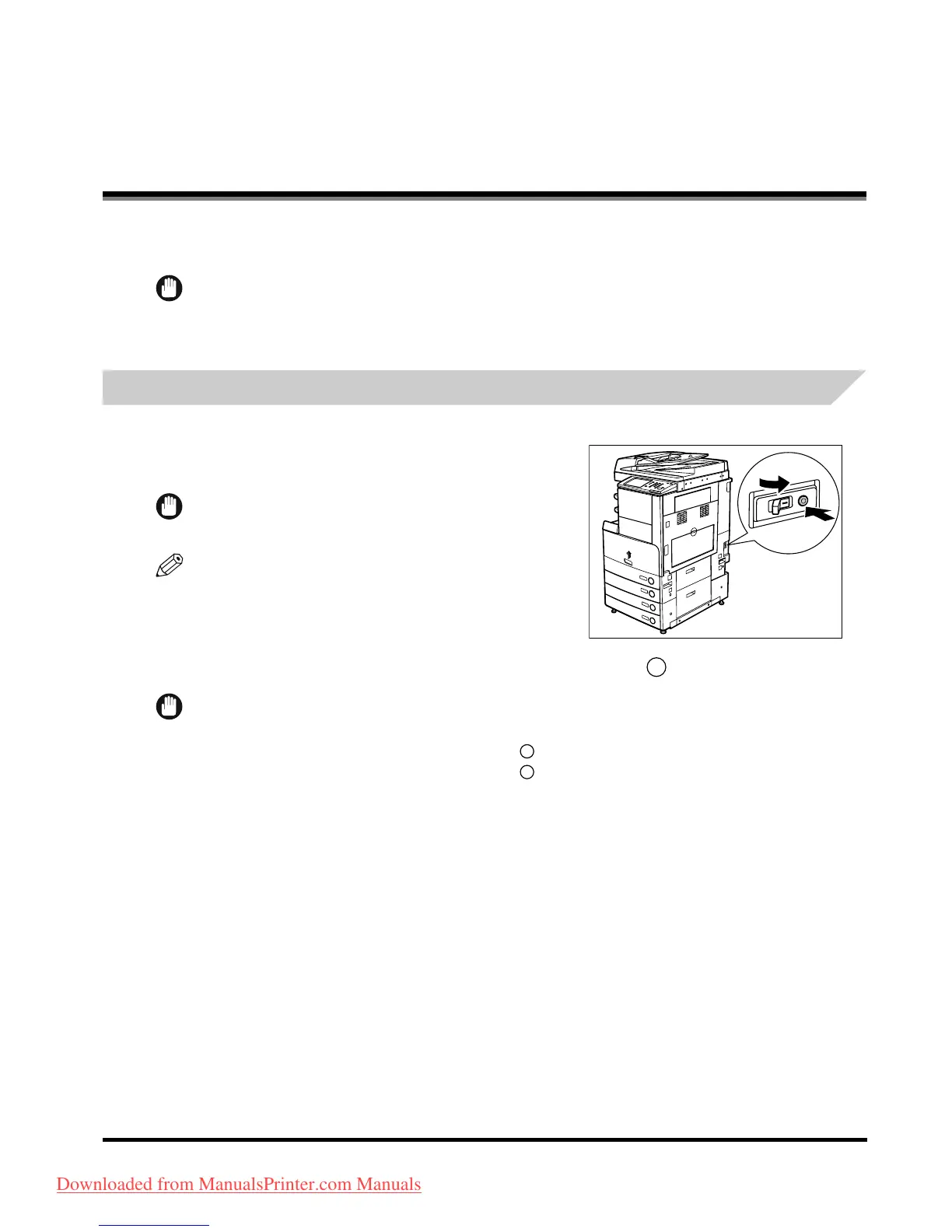
Checking the Breaker
1
Push the test button with the tip of a ball-point
pen, or similar object.
IMPORTANT
Briefly push the test button.
NOTE
•
The breaker is located on the left side of the machine.
•
For more information on the location of the breaker, see
"External View and Internal View," on p. 1-15.
2
Confirm that the breaker lever is switched to the OFF (" " side) position.
IMPORTANT
•
Do not use the test button to turn the power ON and OFF.
•
If the breaker lever does not switch to the OFF (" " side) position, repeat step 1.
•
If the breaker lever does not switch to the OFF (" " side) position, despite carrying out the above
procedure two or three times, contact your local authorized Canon dealer.
1
2
Downloaded from ManualsPrinter.com Manuals



 To Next Page