Replacing the Toner Cartridge
2-9
Routine Maintenance
2
5
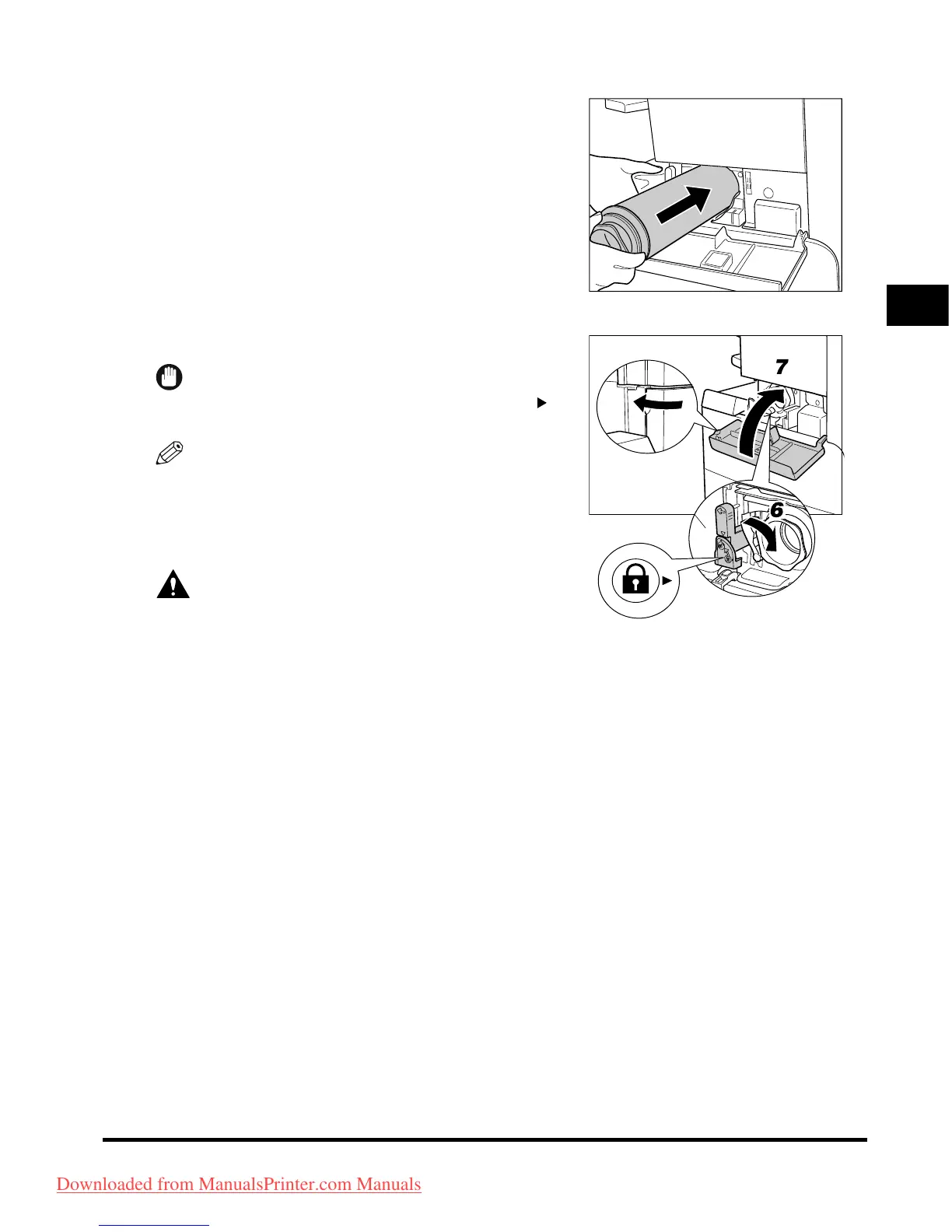
Push the new toner cartridge in as far as
possible.
Support the new toner cartridge with your hand from
underneath while pushing it into the machine with your
other hand.
6
Push the locking lever down.
IMPORTANT
Make sure that the
▼
on the lever is aligned with the of
the
'
Lock
'
position.
NOTE
If you insert a toner cartridge intended for use in a
different machine, the locking lever will not move.
7
Close the toner supply port cover.
CAUTION
When closing the cover, be careful not to get your
fingers caught, as this may result in personal
injury.
Downloaded from ManualsPrinter.com Manuals



 To Next Page