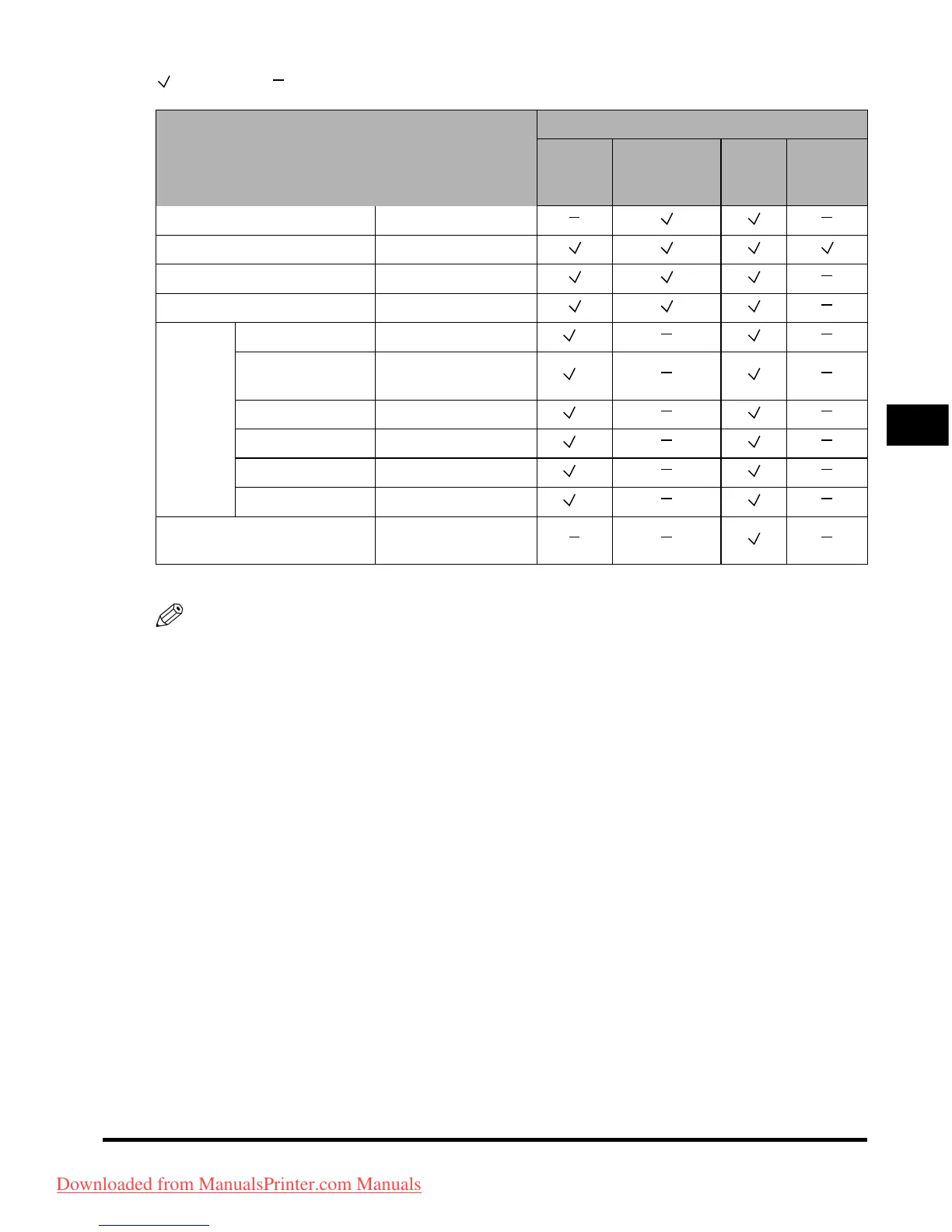
Available Paper Stock
4-5
Appendix
4
: Available : Unavailable
*1 If the optional Envelope Feeder Attachment-C2 is attached to Paper Drawer 1, envelopes can be loaded.
NOTE
•
For instructions on loading paper, see the following sections:
- Paper Drawers: "Loading Paper," in the Reference Guide
- Paper Deck: "Paper Deck-Q1 (Optional)," in the Reference Guide
- Stack Bypass: "Making Prints Using the Stack Bypass," in the Reference Guide
•
Paper Drawers 3, 4, and the Paper Deck-Q1 is optional.
Paper Size Width x Length
Paper Source
Paper
Drawer 1
Paper
Drawer 2, 3, 4
Stack
Bypass
Paper
Deck
(optional)
A3 297 mm x 420 mm
A4 297 mm x 210 mm
A4R 210 mm 297 mm
A5R 148 mm x 210 mm
Envelope
COM 10 No.10 104.7 mm x 241.3 mm
*1
Monarch: Catalog
Glove No.8
98.4 mm x 190.5 mm
*1
DL 110 mm x 220 mm
*1
ISO-B5 176 mm x 250 mm
*1
ISO-C5 162 mm x 229 mm
*1
Yougata 4 105 mm x 235 mm
*1
Irregular Size
99 mm x 140 mm to
320 mm x 457 mm
Downloaded from ManualsPrinter.com Manuals



 To Next Page